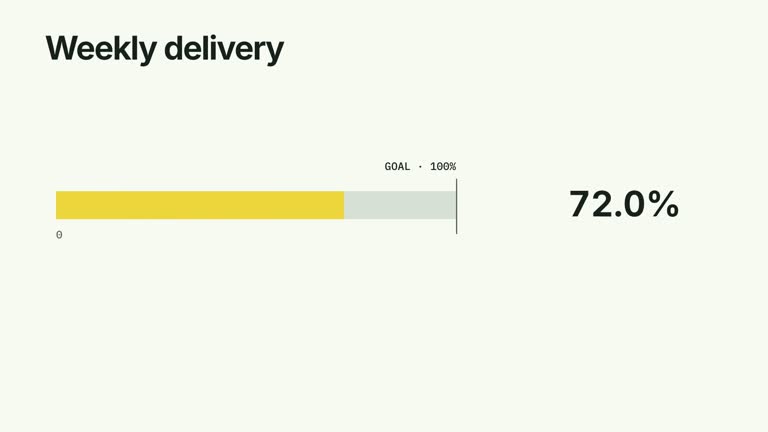
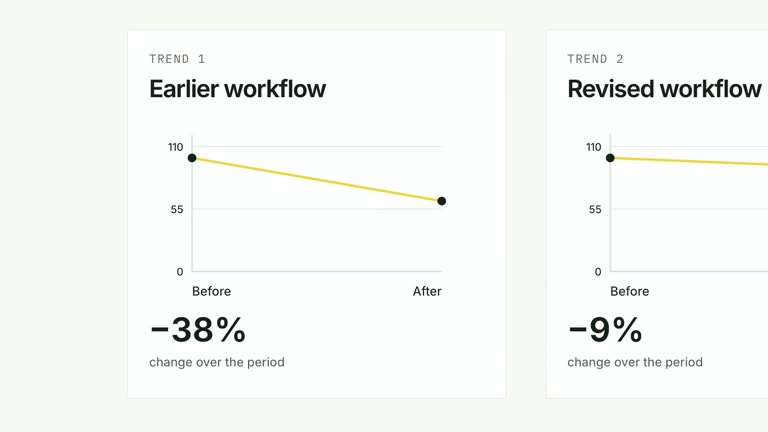
Compare two paths stage by stage, then point to the particular stages you want to discuss. Each lane grows downward through its own labeled percentages before selected arrows arrive. This ten-second scene keeps both paths visible, including different stage counts, while leaving the calculation and interpretation of loss rates to you.
What you get
A local generator, editable HyperFrames two-lane scene and motion/review instructions. Generate a presentation of your supplied process data, then render the resulting segment.
Two named lanes with ordered stages containing label and rate, plus highlights as [laneIndex,stageIndex] pairs. Every rate uses the same zero-to-100 percentage scale; a lane may have a different number of stages from its neighbor.
Stage labels and values introduced before their centered fills grow, followed by arrows at the exact indexed stages. Both full paths remain visible alongside the markers for the final comparison.
Four styles keep the same data and choreography: White & Yellow (white-yellow), Charcoal & Lime (charcoal-lime), Paper & Orange (paper-orange), and Black & White (midnight-ice). Semantic style overrides are supported; check contrast after changing them. Dark canvases use a fine grid. Local fonts include Inter, IBM Plex Mono for measurements and ordinals, Smiley Sans and Noto Sans SC. Chinese text selects Smiley Sans automatically, including accompanying Latin text; --zh-font noto-sans-sc selects Noto Sans SC, while --font takes precedence for a supplied font.
Before you choose
Define the denominator and distinguish a stage’s remaining share from the loss between stages. Choose arrows for a reason supported by your data; a highlighted low percentage alone does not prove where the process failed.
Good fit
A creator explaining where two short processes retain different shares of an initial population.
A teaching passage that needs unequal path structures and specific points of attention, rather than a rectangular feature table.
A series of process comparisons with consistent percentage semantics, lane styling and typography.
Not for
Automatically calculating stage losses, finding the largest drop or establishing the cause of abandonment.
Comparing percentages with unexplained or incompatible denominators, or fitting a long process into the fixed-height scene without adjustment.
Automatic full-film editing, invented presenter footage or music, or copying another creator’s identity and source materials.
How to use
You say/creatormotion-comparison-stage-loss Turn my supplied explanation into a white-yellow B-roll scene using the Stage Loss Lanes effect. Use the text, data and media I provide, and ask for any required input that is missing.
Prepare two lanes, each with name and ordered stages containing label and rate from zero to 100. Decide whether rates describe cumulative retention from the starting population or another measure, and apply that meaning consistently. The sample paths are illustrative, not a measured conversion study.
Choose highlights as zero-based [laneIndex,stageIndex] pairs and check every index after reordering or adding stages. An arrow marks the chosen stage; it does not calculate the difference from the previous percentage or automatically identify the greatest loss.
Keep stage labels short and the path compact. The current tracks grow from their centers rather than connecting as a literal flowing funnel. Stage arrivals depend on row index, while arrows begin at five seconds regardless of path length; more stages require space and timing changes. No presenter, matte or raster image is needed.
From the extracted package, prepare Node.js 22+, FFmpeg and HyperFrames CLI 0.8.30. Run node scripts/create.mjs --out PROJECT --data CONTENT.json --style white-yellow, substituting another documented palette if wanted. Read the motion specification and image policy before adapting the scene; use semantic --overrides for deliberate style changes.
Inspect the editable project at entry, each motion handoff and final hold, then render with the command printed by the generator. Check the resulting frames for text collisions, correct numbers and readable contrast. Keep at least 1.2 seconds for the final reading when editing, and compare all four palettes with identical content after structural changes. Narration, music and assembly into a longer film remain separate work. Compare each track width with its supplied rate and confirm each arrow points to the intended row. Numeric labels round to whole percentages even when width uses a decimal input, so review formatting for fractional rates. Make sure every marked stage has completed its entrance before its arrow appears.
Requirements and costs
You bring
lanes: provide your own content or retain the illustrative default. · highlights: provide your own content or retain the illustrative default.
Dependencies
HyperFrames CLI 0.8.30 or compatible — required · Node.js 22 or newer — required · FFmpeg — required
Outside costs
Not collected yet
Tools used
HyperFrames
Publisher testing
v1.0.1 — Claude Code / Claude Desktop / Cowork / Codex / ChatGPT
FAQ
Yes. Lane names, stage labels/rates and highlight coordinates are JSON inputs. Palettes and semantic overrides control appearance. The headline is fixed in the effect code rather than exposed as a title input.
No. Both paths use editable text, tracks and arrows. Shared package instructions about image replacements or presenter footage do not add a media requirement to this particular scene.
Yes. Preserve stage-by-stage development and the later targeted markers. Check both lane schedules and the final hold after changing stage counts; the five-second marker schedule does not automatically wait for a longer path.
No. You supply every rate and choose the highlight indices. Calculate losses and check denominator consistency before using the visual to explain them.
Yes. Each lane renders its own ordered stages. Keep comparable meanings explicit, and inspect vertical fit rather than assuming every row in one path has an equivalent row in the other.
User reviews
—0 reviews
Select a star to share your experience.
No reviews yet. Ratings appear once readers share real experiences.