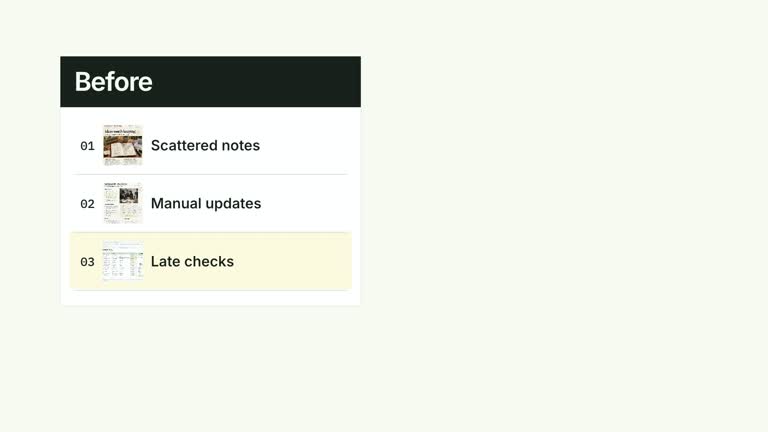
Put a compact record list beside a circular percentage, then reveal the interpretation underneath. The ten-second scene makes individual entries and an aggregate measure available in the same frame. You supply both the percentage and the conclusions: it does not count statuses, infer what they mean or diagnose the cause of the result.
What you get
A local generator, editable HyperFrames scene and motion/review instructions for producing a records-to-summary video segment. The package is a presentation tool, not a live request-monitoring system.
A records array of name/status pairs, percentage between zero and 100, metricLabel describing that measure, and conclusions for the follow-up lines. The default request example is illustrative rather than a dataset to cite.
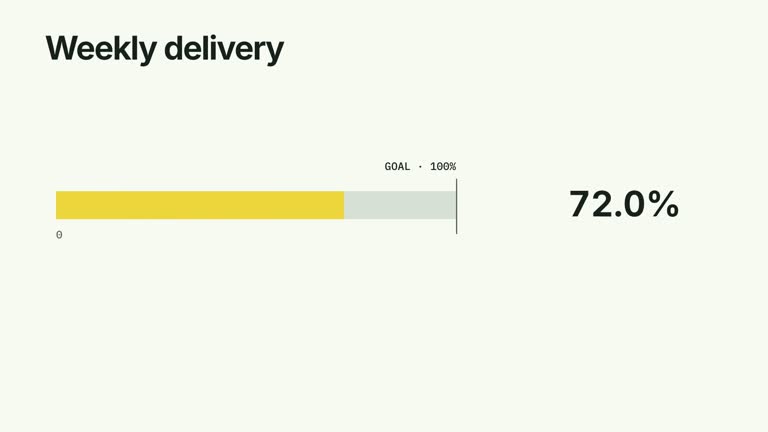
An ordered row scan, a ring arc and percentage sharing a 1.25-to-3.65-second build interval, and diagnostic lines beginning at five seconds. The complete record field, circular measure and conclusions remain together for the final reading.
Four styles keep the same data and choreography: White & Yellow (white-yellow), Charcoal & Lime (charcoal-lime), Paper & Orange (paper-orange), and Black & White (midnight-ice). Semantic style overrides are supported; check contrast after changing them. Dark canvases use a fine grid. Local fonts include Inter, IBM Plex Mono for measurements and ordinals, Smiley Sans and Noto Sans SC. Chinese text selects Smiley Sans automatically, including accompanying Latin text; --zh-font noto-sans-sc selects Noto Sans SC, while --font takes precedence for a supplied font.
Before you choose
Write the metric label so a viewer knows what the percentage counts. A matching-looking list and ring can imply a calculation that never happened; establish the denominator yourself and keep supplied conclusions separate from measured observations.
Good fit
A creator explaining a small set of requests, cases or observations alongside a clearly defined aggregate measure.
A concise teaching passage where the viewer should see evidence before reading your interpretation.
A series of reports needing repeatable record typography, a percentage display and restrained diagnostic reveals.
Not for
Automatically deriving a percentage from arbitrary status text, validating a dataset or discovering causes behind the result.
A live dashboard, a long scrolling log, or proof that a small displayed sample represents a larger population.
Editing an entire film, generating missing presenter footage or a soundtrack, or reusing another creator’s identity or source materials.
How to use
You say/creatormotion-comparison-records-donut Turn my supplied explanation into a white-yellow B-roll scene using the Records and Donut effect. Use the text, data and media I provide, and ask for any required input that is missing.
Prepare records with name and status, a percentage from zero to 100, a precise metricLabel and short conclusions. Work out the denominator and which statuses qualify before writing the data file; the effect does not infer those rules.
Cross-check the percentage against the underlying evidence. If the list is only an excerpt, say so in your supporting explanation instead of implying that all displayed rows form the denominator. Keep conclusions proportionate to what the evidence supports.
Start with a short list and two concise conclusions, matching the intended composition. Row arrivals use fixed spacing while the ring starts on a fixed schedule; adding rows does not postpone the statistic or move the conclusion area. No footage, matte or raster image is used.
From the extracted package, prepare Node.js 22+, FFmpeg and HyperFrames CLI 0.8.30. Run node scripts/create.mjs --out PROJECT --data CONTENT.json --style white-yellow, substituting another documented palette if wanted. Read the motion specification and image policy before adapting the scene; use semantic --overrides for deliberate style changes.
Inspect the editable project at entry, each motion handoff and final hold, then render with the command printed by the generator. Check the resulting frames for text collisions, correct numbers and readable contrast. Keep at least 1.2 seconds for the final reading when editing, and compare all four palettes with identical content after structural changes. Narration, music and assembly into a longer film remain separate work. Check record/status alignment, the percentage arc, the rounded center number and conclusion timing. With more rows, inspect overlap with the fixed lower conclusion zone; extend or redesign the scene rather than shrinking text until it is unreadable.
Requirements and costs
You bring
records: provide your own content or retain the illustrative default. · percentage: provide your own content or retain the illustrative default. · metricLabel: provide your own content or retain the illustrative default. · conclusions: provide your own content or retain the illustrative default.
Dependencies
HyperFrames CLI 0.8.30 or compatible — required · Node.js 22 or newer — required · FFmpeg — required
Outside costs
Not collected yet
Tools used
HyperFrames
Publisher testing
v1.0.1 — Claude Code / Claude Desktop / Cowork / Codex / ChatGPT
FAQ
Yes. Record names/statuses, the percentage, metric label and conclusion lines are supplied through JSON. Four palettes and semantic overrides control appearance. The “Recent requests” heading is fixed in the effect code.
No. The list, ring, number and diagnostic lines are editable generated elements. The shared media instructions do not mean this particular effect needs a presenter clip or image replacements.
Yes. Preserve the evidence-first reading and keep the ring arc synchronized with the numerical counter. Check the row schedule and conclusion reveal after changing counts or duration; conclusions should remain readable with the supporting evidence.
No. percentage is an independent numeric input. Define and calculate the metric yourself, then verify it against the list or the wider dataset it represents.
No. Rows start at one second with 0.65-second spacing, but the ring build starts at 1.25 seconds regardless of row count. The default short list fits that sequence; a longer list requires a timing and layout review.
User reviews
—0 reviews
Select a star to share your experience.
No reviews yet. Ratings appear once readers share real experiences.