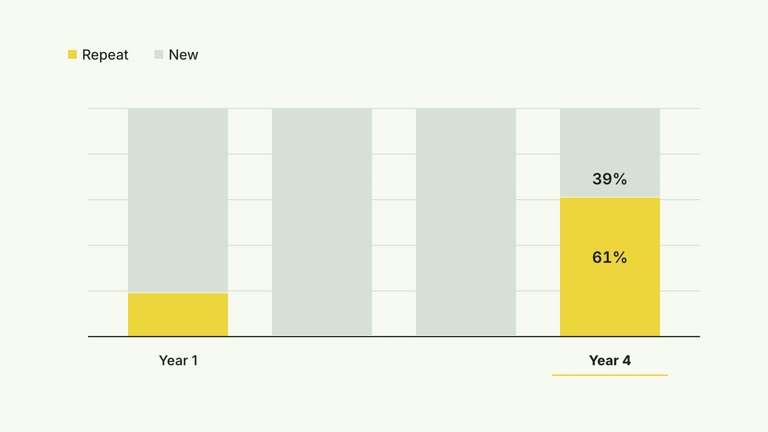
Make a distribution countable before showing the whole table. Repeated symbols fill each labeled row as the camera follows downward; a final pullback restores the complete set of rows and display values. This twelve-second effect presents supplied counts and captions, rather than computing percentages or collecting observations.
What you get
A local generator, editable HyperFrames effect and motion/review instructions. Generate a 1920×1080 project and render a 30 fps distribution segment.
Editable title, rows with label/count/value, and unitSymbol selecting document, person, check, arrow or circle. Each row creates repeated SVG symbols from its count; value is an independent display string.
Row fills beginning at 1 second with 1.75-second spacing, short symbol arrivals and a downward camera follow. The final pullback begins at 8.10 seconds and restores full-table scale.
Four palettes keep geometry and timing consistent: White & Yellow (white-yellow), Charcoal & Lime (charcoal-lime), Paper & Orange (paper-orange) and Black & White (midnight-ice). Semantic overrides need a contrast check; dark canvases retain a fine static grid. Fonts are bundled locally: Inter, IBM Plex Mono for measurements/ordinals, Smiley Sans and Noto Sans SC. Chinese content automatically uses Smiley Sans, including Latin words; --zh-font noto-sans-sc selects the plainer face and --font embeds your own. Recheck wrapping after changes.
Before you choose
Define the icon unit and denominator before choosing a symbol. A countable-looking field is only honest when its display value agrees with the count and the sample basis is clear.
Good fit
A creator explaining a small categorical distribution using a clearly defined unit per icon.
A short teaching passage where counting repeated symbols is more helpful than comparing continuous bar lengths.
A recurring series using consistent row rhythm, typography and palette.
Not for
Automatic percentage calculation, sample validation or an unrestricted large-count pictogram. Counts and display values must be checked by you.
A continuous length chart or time-accumulation model. Each row is a separate category and repeated icons represent its supplied units.
Automatic full-film editing, generated presenter performances or soundtrack, or copying a reference creator’s identity and material.
How to use
You say/creatormotion-comparison-icon-distribution Turn my supplied explanation into a white-yellow B-roll scene using the Icon Distribution Sweep effect. Use the text, data and media I provide, and ask for any required input that is missing.
Prepare rows with concise label, nonnegative integer count and the value string you want printed. Define what one icon represents and verify every percentage against the intended total. The default counts 9/7/5/4 correspond to a 25-unit illustrative example.
Choose unitSymbol from the five supported names. Keep counts small enough for the fixed-width symbol row and count density low enough for reading. A large count can overflow or continue animating beyond the authored row/camera schedule; the final pullback is fixed rather than automatically fitting arbitrary row counts.
Read the motion specification and preserve the row fill, downward sweep and whole-table return. There is no presenter take, alpha matte or active raster slot. If grouping many observations into one icon, explain that grouping instead of implying one icon equals one person or event.
Prepare Node.js 22+, FFmpeg and the documented HyperFrames CLI 0.8.30. Run node scripts/create.mjs --out PROJECT --data CONTENT.json with your chosen --style from the extracted package, adding semantic --overrides if needed. Read the motion specification and image policy before adapting material. No raster-image replacement is required by this composition.
Lint, validate and inspect the generated HyperFrames project, then render at 1920×1080 and 30 fps with the pinned CLI. Check actual MP4 frames at the opening, each handoff and final comparison for labels, geometry, contrast and bounds. Preserve at least 1.2 seconds of final reading time when editing and inspect all palettes with identical content after module changes. Narration, music and film assembly remain separate work. Count the symbols, check the matching display text and inspect the current row value during the close view. Verify every label and value still fits when the full distribution returns.
Requirements and costs
You bring
rows: provide your own content or retain the illustrative default. · unitSymbol: provide your own content or retain the illustrative default. · title: provide your own content or retain the illustrative default.
Dependencies
HyperFrames CLI 0.8.30 or compatible — required · Node.js 22 or newer — required · FFmpeg — required
Outside costs
Not collected yet
Tools used
HyperFrames
Publisher testing
v1.0.1 — Claude Code / Claude Desktop / Cowork / Codex / ChatGPT
FAQ
Yes. title, row labels/counts/value strings and unitSymbol come from JSON, with palettes and semantic overrides. Invalid icon names use the helper’s document fallback rather than creating a new custom symbol.
No. The scene uses repeated SVG symbols, tracks and editable text. Generic package image/presenter instructions do not add media or matte requirements here.
Yes. Preserve countable row fills, camera follow and the final distribution pullback. A simple simultaneous fade would lose the row-by-row reading sequence.
No. value is an independent supplied string. Update it yourself and verify the denominator; the animation does not check whether count and percentage agree.
The code creates them, but fixed symbol widths, row spacing and the 8.1-second pullback do not guarantee fit. Reduce density or deliberately revise geometry/timing, then inspect the complete render.
User reviews
—0 reviews
Select a star to share your experience.
No reviews yet. Ratings appear once readers share real experiences.