Give two supplied results time to be inspected against one shared brief. Large matched images remain visible while a selection outline appears around the side you chose, then the next prompt and pair replace the set together. This effect presents an editorial comparison; it does not run the prompt, generate images or judge which result is stronger.
What you get
A local generator, editable HyperFrames effect and motion/review instructions. Generate at 1920×1080 and render at 30 fps; duration grows with the supplied set count, with two default sets producing twelve seconds.
Two modeLabels, sets containing prompt/left/right image keys and optional per-set preferredSide. A top-level preferredSide is the fallback; 0 selects left and 1 selects right.
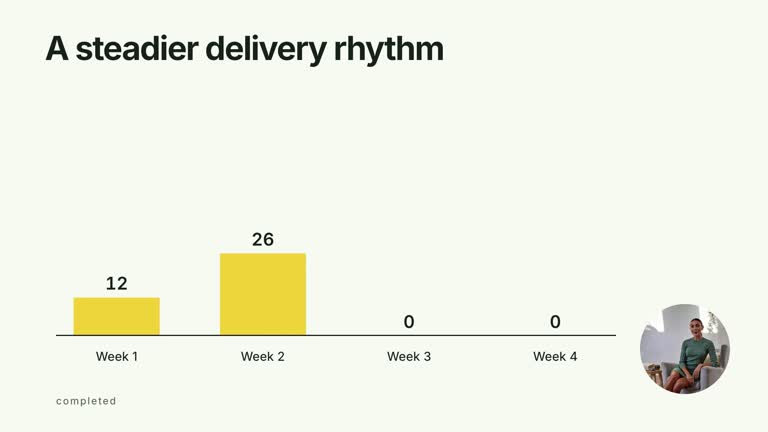
Each set receives a 5.4-second slot with image-pair reveal, retained common brief and chosen-side outline after an inspection interval. Optional local --media adds an auxiliary presenter window that clears before its take ends.
Four palettes preserve geometry and timing: White & Yellow (white-yellow), Charcoal & Lime (charcoal-lime), Paper & Orange (paper-orange) and Black & White (midnight-ice). Semantic overrides need a contrast check; dark canvases retain a fine static grid. Fonts are local: Inter, IBM Plex Mono for measurements/ordinals, Smiley Sans and Noto Sans SC. Chinese content automatically selects Smiley Sans, including Latin words; --zh-font noto-sans-sc chooses the plainer face and --font embeds your own. Recheck wrapping after changes.
Before you choose
Keep the brief, execution provenance and selection reason distinct. A common text prompt does not guarantee a controlled experiment, and an input-driven outline should not be presented as independent quality assessment.
Good fit
A creator explaining why one prepared result better matches a supplied brief.
A short teaching comparison with clear mode labels, concise prompt wording and visible distinctions between the pair.
A series using consistent image frames, inspection time and typography.
Not for
Automatically invoking a model, generating results, evaluating quality or independently selecting a winner.
Treating generated bundled pictures as records of actual prompt execution, or assuming the same model/settings produced an unverified pair.
Automatic whole-film editing, generated presenter performances or music, or copying a reference creator’s identity and material.
How to use
You say/creatormotion-comparison-prompt-results Turn my supplied explanation into a white-yellow B-roll scene using the Prompted Result Inspection effect. Use the text, data and media I provide, and ask for any required input that is missing.
Prepare sets with prompt text and two resolvable image keys. Supply two modeLabels that accurately identify the approaches. The bundled reading-corner/workstation examples illustrate the composition and do not establish a model benchmark.
Choose preferredSide as 0 or 1 for each set, or use the top-level fallback. The highlight follows that input without analyzing either image. Write or narrate the reason for selection so the outline does not stand in for an argument.
Replace reading-a, reading-b, workstation and mini-server through --images or use other valid keys. If adding --media, supply a continuous local take covering the helper’s 6.8-second visible window; it starts at zero and fades from 6.4 seconds even when the full comparison is longer. No alpha matte is required.
Prepare Node.js 22+, FFmpeg and the documented HyperFrames CLI 0.8.30. Run node scripts/create.mjs --out PROJECT --data CONTENT.json with the chosen --style from the extracted package. Map local image keys through --images; relative paths resolve beside that JSON and unlisted keys retain defaults. Add semantic --overrides if needed and follow the image policy when adapting materials. Include --media only for the optional speaker inset. Each additional set extends the composition by its authored slot; review the generated duration rather than assuming it is always twelve seconds.
Lint, validate and inspect the generated HyperFrames project, then render at 1920×1080 and 30 fps with the pinned CLI. Inspect actual MP4 frames at entry, every change and final hold for image fit, captions, seams and text bounds. Keep at least 1.2 seconds for final reading when adjusting timing and check all palettes with identical content after module changes. Narration, music and full-film assembly remain separate work. Inspect both images, prompt legibility, selected-side outline and synchronized set change. Check the presenter exit separately and preserve enough time to explain each choice.
Requirements and costs
You bring
modeLabels: provide your own content or retain the illustrative default. · sets: provide your own content or retain the illustrative default. · preferredSide: provide your own content or retain the illustrative default.
Dependencies
HyperFrames CLI 0.8.30 or compatible — required · Node.js 22 or newer — required · FFmpeg — required
Outside costs
Not collected yet
Tools used
HyperFrames
Publisher testing
v1.0.1 — Claude Code / Claude Desktop / Cowork / Codex / ChatGPT
FAQ
Yes. Supply modeLabels, set prompts/image keys and preferredSide values through JSON, then select a palette or semantic overrides. The fixed THE SAME BRIEF caption requires an implementation edit if that wording is inappropriate.
No for an image-only comparison. Add your local take through --media for the optional presenter window. Bundled images can demonstrate the layout; no presenter matte is needed.
Yes. Preserve inspection of both results against a shared prompt, chosen-side emphasis and synchronized prompt/pair replacement. A rapid before/after montage serves a different purpose.
No. preferredSide determines the outlined image. Verify the comparison and explain the criteria yourself; the Skill does not execute the prompt or score the images.
Yes. A set-level preferredSide overrides the top-level fallback. Use 0 for left or 1 for right and inspect every set so the outline agrees with your intended explanation.
User reviews
—0 reviews
Select a star to share your experience.
No reviews yet. Ratings appear once readers share real experiences.