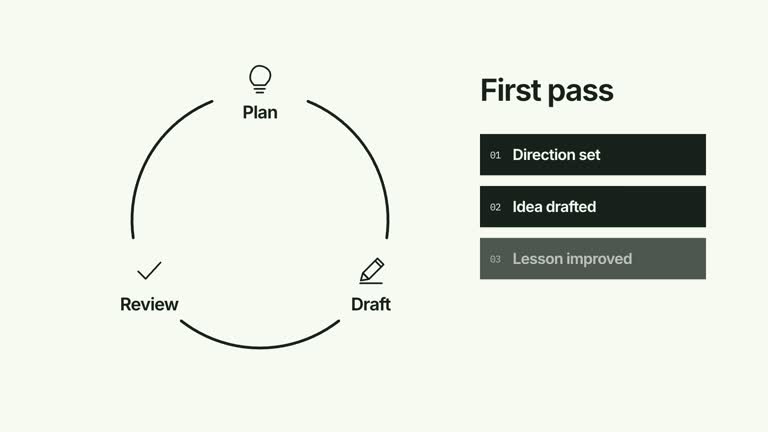
Introduce the steps of a recurring process and make the return connection the concluding beat. Icon nodes appear around an elliptical route as arcs build between them; the final, stronger arc closes the loop before a central check appears. This is a construction of the cycle, rather than repeated traversal of an already complete diagram.
What you get
A local generator, editable HyperFrames cycle and motion/review instructions for a 1920×1080, 30 fps shot. The default four-node composition lasts 7.2 seconds; generate and render your own version after supplying labels.
Up to five nodes positioned in input order around an ellipse. The first node receives the accent treatment, and position-based functional glyphs distinguish the steps. Long labels trigger a smaller typography treatment, which still needs a readability check.
An initial node at 0.16 seconds, arc construction from 0.47 seconds and subsequent nodes spaced at 1.02-second intervals. A stronger final connection and center confirmation follow. Scene duration adapts to retain time after closure, rather than repeatedly looping the animation.
Four styles keep the same data and choreography: White & Yellow (white-yellow), Charcoal & Lime (charcoal-lime), Paper & Orange (paper-orange), and Black & White (midnight-ice). Semantic style overrides are supported; check contrast after changing them. Dark canvases use a fine grid. Local fonts include Inter, IBM Plex Mono for measurements and ordinals, Smiley Sans and Noto Sans SC. Chinese text selects Smiley Sans automatically, including accompanying Latin text; --zh-font noto-sans-sc selects Noto Sans SC, while --font takes precedence for a supplied font.
Before you choose
Name the return relationship explicitly in your explanation. Let the closing arc communicate recurrence, while the center check confirms only that the diagram is complete—not that the process has delivered a verified outcome.
Good fit
A creator explaining how a few process steps lead back to a starting activity.
A short teaching passage where completing the loop is the point, such as introducing a review-and-improve model.
A series using consistent cycle geometry, step labels and a restrained closing confirmation.
Not for
Proving that a process is effective, automatically choosing its steps or verifying that a real system has completed them.
Continuous multi-round state traversal, arbitrary branching paths or more than five displayed nodes through the current input.
Automatic full-film editing, generated presenter performances or music, or copying another creator’s identity and source materials.
How to use
You say/creatormotion-diagram-cycle-build Turn my supplied explanation into a white-yellow B-roll scene using the Cycle Build and Close effect. Use the text, data and media I provide, and ask for any required input that is missing.
Prepare a small ordered nodes array, using the four-step example as a starting point. The implementation displays at most five labels. Confirm that the final step genuinely returns to the first; a visual circle does not establish a feedback relationship by itself.
Keep node labels to a few words so they fit the fixed panels. The wrapper reduces type and icons for longer text, but this is not a guarantee that every label fits. Glyphs are chosen by position rather than inferred from label meaning; inspect whether their associations suit your explanation.
Retain the arc-to-next-node order and make the closing edge distinct. This scene builds the loop once; it has no rounds/status input for repeated traversal. No presenter, raster image or matte is needed.
From the extracted package, prepare Node.js 22+, FFmpeg and HyperFrames CLI 0.8.30. Run node scripts/create.mjs --out PROJECT --data CONTENT.json --style white-yellow, substituting another documented palette if wanted. Read the motion specification and image policy before adapting the scene; use semantic --overrides for deliberate style changes.
Inspect the editable project at entry, each motion handoff and final hold, then render with the command printed by the generator. Check the resulting frames for text collisions, correct numbers and readable contrast. Keep at least 1.2 seconds for the final reading when editing, and compare all four palettes with identical content after structural changes. Narration, music and assembly into a longer film remain separate work. Inspect each route handoff, final closure and center mark in the MP4. Keep supporting text at least 24 px and inspect the final reading interval with your actual node count. The confirmation means the diagram has closed, not that a real process has been measured as successful.
Requirements and costs
You bring
nodes: provide your own content or retain the illustrative default.
Dependencies
HyperFrames CLI 0.8.30 or compatible — required · Node.js 22 or newer — required · FFmpeg — required
Outside costs
Not collected yet
Tools used
HyperFrames
Publisher testing
v1.0.1 — Claude Code / Claude Desktop / Cowork / Codex / ChatGPT
FAQ
Yes. nodes supplies the labels, with four palettes and optional semantic overrides for styling. Glyph choices and the first-node accent are implemented by position rather than separate content inputs.
No. The scene uses editable vector glyphs, text and arcs. The shared package media instructions do not require images or presenter footage for this implementation.
Yes. Preserve the buildup of nodes and incoming arcs, the final return connection and the later confirmation. Re-render after layout or timing changes and keep enough time to read the completed loop.
The scene uses the first five nodes at most. Additional JSON items are not displayed. A larger cycle requires deliberate layout and timing changes.
Not through this scene’s current nodes input. It constructs a loop once; repeated state traversal is a different motion relationship and needs another scene or implementation changes.
User reviews
—0 reviews
Select a star to share your experience.
No reviews yet. Ratings appear once readers share real experiences.