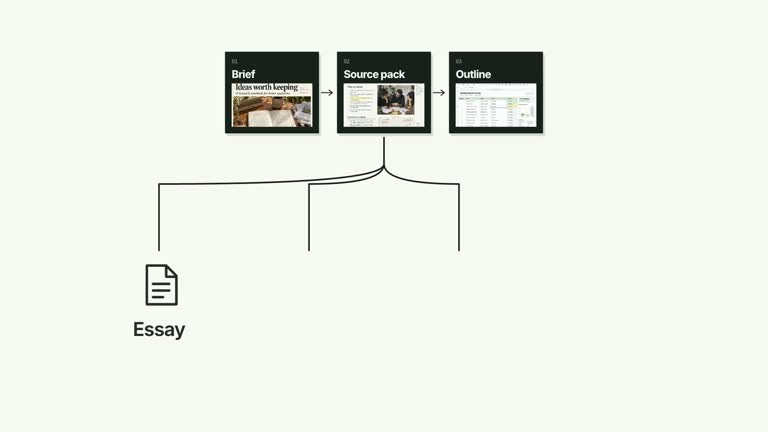
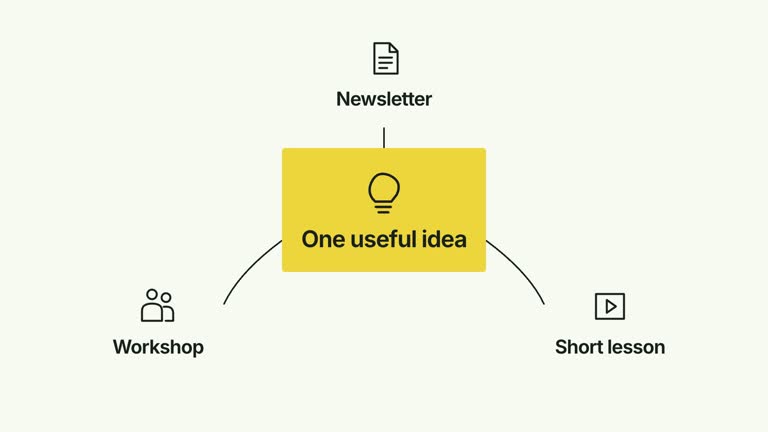
Show several named inputs feeding one shared result, then give the destination and its status a separate reading beat. Horizontal curves or vertical elbow routes preserve the same many-to-one structure. This 6.4-second scene can begin with the result already visible and can compact the completed diagram; the result and status remain statements you supply rather than outputs computed from the inputs.
What you get
A local generator, editable HyperFrames diagram and motion/review instructions for a 1920×1080, 30 fps shot. Generate the scene and render the explanatory segment using your supplied content.
Up to five inputs, result, status, orientation, compactOnResolve and resultInitiallyVisible. The result is a paper object with a required output-image raster slot and bundled default; source nodes use functional glyphs and labels.
Input entrances from 0.16 seconds, staged connector tracing from 0.72 seconds, a normal result entrance at 1.65 seconds and status reveal from 2.28 seconds. Optional compaction starts at 3.70 seconds and keeps the complete relationship together.
Four styles keep the same data and choreography: White & Yellow (white-yellow), Charcoal & Lime (charcoal-lime), Paper & Orange (paper-orange), and Black & White (midnight-ice). Semantic style overrides are supported; check contrast after changing them. Dark canvases use a fine grid. Local fonts include Inter, IBM Plex Mono for measurements and ordinals, Smiley Sans and Noto Sans SC. Chinese text selects Smiley Sans automatically, including accompanying Latin text; --zh-font noto-sans-sc selects Noto Sans SC, while --font takes precedence for a supplied font.
Before you choose
Describe the result and status as accurately as the sources. A diagram that ends with “ready” can look like a successful operation, so make clear which work has actually been completed and which relationship is only being illustrated.
Good fit
A creator explaining how several information sources contribute to a single named brief or outcome.
A short teaching passage needing clear convergence, destination and status beats without an onward output group.
A series with consistent many-to-one diagrams and a choice of horizontal or vertical presentation.
Not for
Automatically combining source files, writing a result, determining readiness or validating the status label.
An intermediary that must route onward to several outputs, a large arbitrary network or multiple nested destinations.
Automatic full-film editing, generated presenter performances or music, or copying another creator’s identity and source material.
How to use
You say/creatormotion-diagram-input-convergence Turn my supplied explanation into a white-yellow B-roll scene using the Inputs Converge to One Result effect. Use the text, data and media I provide, and ask for any required input that is missing.
Prepare a nonempty input list of up to five concise strings, plus result and status. Make the source-to-result relationship defensible in the surrounding explanation; the scene does not infer it from text or perform the work named by the result.
Choose orientation vertical for elbow routes from the top row, or horizontal for curves from the left. Set resultInitiallyVisible true to keep the destination present from the start, otherwise it enters later. compactOnResolve scales the complete scene down at the end; it does not remove the source data or compress a real output.
Reuse output-image for an illustrative version or replace the named slot through --images MAP.json. Relative paths resolve beside the map and other defaults remain available. The raster is required by the paper helper. Follow the image policy; no presenter clip or matte is used.
From the extracted package, prepare Node.js 22+, FFmpeg and HyperFrames CLI 0.8.30. Run node scripts/create.mjs --out PROJECT --data CONTENT.json --style white-yellow, substituting another documented palette if wanted. Read the motion specification and image policy before adapting the scene; use semantic --overrides for deliberate style changes.
Inspect the editable project at entry, each motion handoff and final hold, then render with the command printed by the generator. Check the resulting frames for text collisions, correct numbers and readable contrast. Keep at least 1.2 seconds for the final reading when editing, and compare all four palettes with identical content after structural changes. Narration, music and assembly into a longer film remain separate work. Inspect both orientations with actual labels, including connector attachment to the destination and the status below it. More inputs can still be finishing their routes as the fixed result reveal begins; check that relationship rather than assuming a strict completion gate. Keep supporting text at least 24 px and render the initial-result/compaction variants you intend to use.
Requirements and costs
You bring
inputs: provide your own content or retain the illustrative default. · result: provide your own content or retain the illustrative default. · status: provide your own content or retain the illustrative default. · orientation: provide your own content or retain the illustrative default. · compactOnResolve: provide your own content or retain the illustrative default. · resultInitiallyVisible: provide your own content or retain the illustrative default.
Dependencies
HyperFrames CLI 0.8.30 or compatible — required · Node.js 22 or newer — required · FFmpeg — required
Outside costs
Not collected yet
Tools used
HyperFrames
Publisher testing
v1.0.1 — Claude Code / Claude Desktop / Cowork / Codex / ChatGPT
FAQ
Yes. The six documented content/layout controls are JSON inputs, with four palettes and semantic overrides. Replace output-image separately for the paper result illustration.
No presenter footage is needed. The paper result requires output-image, but its bundled raster default can be reused or replaced locally.
Yes. Preserve staged convergence, the destination/status reading and any chosen compaction. resultInitiallyVisible skips the result’s entrance animation; check that the later status still makes sense in that version.
No. result and status are supplied text. Connectors and the status reveal illustrate a relationship without executing source processing or testing readiness.
This diagram ends at one destination. A hub-routing scene preserves the intermediary and adds onward connections to another output group.
User reviews
—0 reviews
Select a star to share your experience.
No reviews yet. Ratings appear once readers share real experiences.