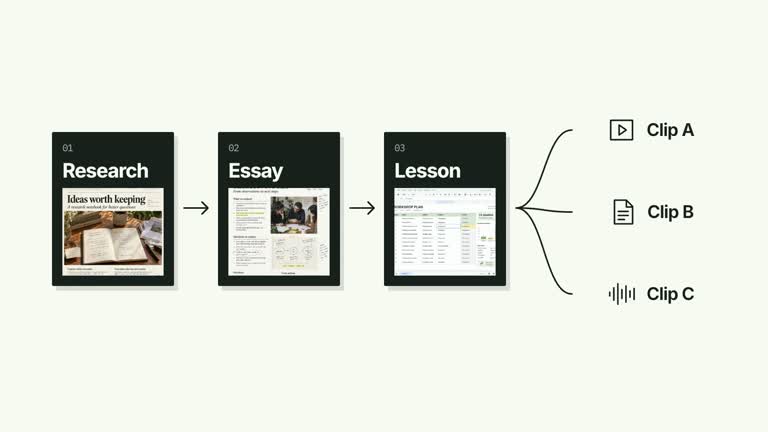
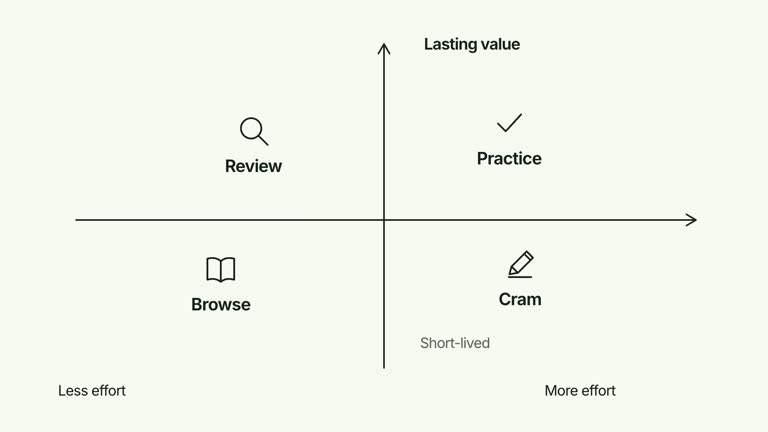
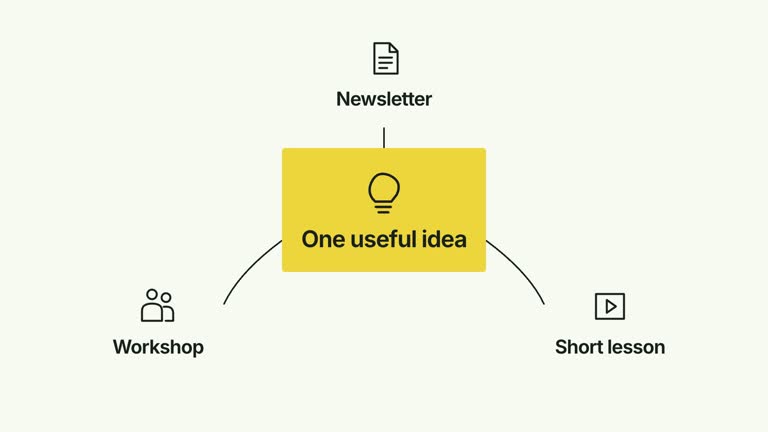
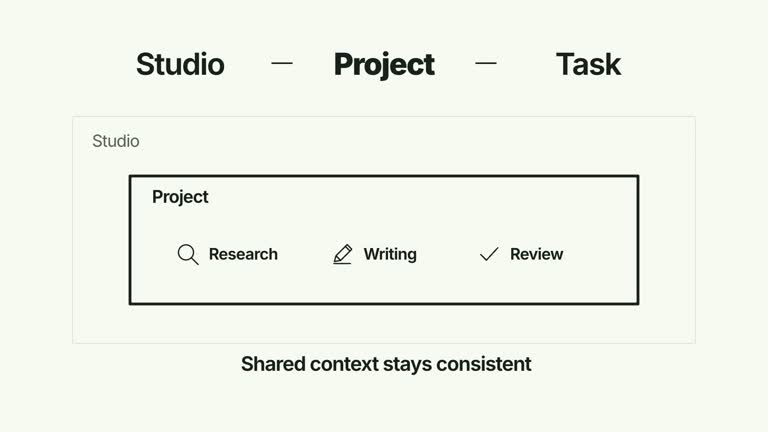
Show a short source chain becoming the shared basis for several outputs. Illustrated documents connect in a row, then shrink and move upward together before routes fan out to the output identities below. This 6.8-second shot keeps the chain visible through the layout change; it explains a production relationship without creating those outputs.
What you get
A local generator, editable HyperFrames two-layout shot and motion/review instructions for a 1920×1080, 30 fps segment. Generate the project and render your own source-to-output explanation.
Up to three inputs and five outputs. Source paper objects use required source-1, source-2 and source-3 raster slots with bundled defaults; output identities use editable functional glyphs and labels.
Source objects and sequential links, a locked-group compaction from 1.65 to 2.35 seconds, and fan-out routes from 2.50 seconds. Outputs follow their routes while the source chain remains in a compact header for the final reading.
Four styles keep the same data and choreography: White & Yellow (white-yellow), Charcoal & Lime (charcoal-lime), Paper & Orange (paper-orange), and Black & White (midnight-ice). Semantic style overrides are supported; check contrast after changing them. Dark canvases use a fine grid. Local fonts include Inter, IBM Plex Mono for measurements and ordinals, Smiley Sans and Noto Sans SC. Chinese text selects Smiley Sans automatically, including accompanying Latin text; --zh-font noto-sans-sc selects Noto Sans SC, while --font takes precedence for a supplied font.
Before you choose
Use the compact header as continuing context for the output group. Explain what connects the source stages in practice, and distinguish the deliverables being illustrated from the animation that this Skill actually generates.
Good fit
A creator explaining how a small connected source workflow supports several named deliverables.
A teaching passage where the transition from chain to fan-out is needed to preserve context.
A series with consistent document imagery, output labels and a calm final relationship view.
Not for
Automatically generating essays, lessons or other listed outputs from the source materials.
A static single-root tree, detailed per-source output mapping or arbitrary numbers of source stages.
Automatic long-form editing, generated presenter footage or music, or copying another creator’s identity and materials.
How to use
You say/creatormotion-diagram-pipeline-fanout Turn my supplied explanation into a white-yellow B-roll scene using the Pipeline to Output Fan effect. Use the text, data and media I provide, and ask for any required input that is missing.
Prepare concise inputs and a nonempty outputs list. The implementation displays at most three inputs and five outputs; extra entries are ignored. Use a chain that accurately describes the sequence you want to explain, rather than treating the arrows as proof of a real process.
Reuse the bundled source-N rasters or replace each active slot through --images MAP.json. Relative paths resolve beside the map and unnamed defaults remain. Source paper objects require their images; there is no blank substitute. Match material to the labels and follow the image policy.
Keep output names short enough for their shared lower row. Output glyphs follow array position rather than being selected from the label meaning. No presenter or matte is used. If changing source count, inspect the fixed source positions and the common fan-out origin rather than assuming the whole scene automatically recenters.
From the extracted package, prepare Node.js 22+, FFmpeg and HyperFrames CLI 0.8.30. Run node scripts/create.mjs --out PROJECT --data CONTENT.json --style white-yellow, substituting another documented palette if wanted. Read the motion specification and image policy before adapting the scene; use semantic --overrides for deliberate style changes.
Inspect the editable project at entry, each motion handoff and final hold, then render with the command printed by the generator. Check the resulting frames for text collisions, correct numbers and readable contrast. Keep at least 1.2 seconds for the final reading when editing, and compare all four palettes with identical content after structural changes. Narration, music and assembly into a longer film remain separate work. Inspect the chain before, during and after compaction, then check every output route and label in actual MP4 frames. Keep supporting text at least 24 px on the documented canvas. Preserve the group transformation: replacing it with unrelated cards would lose the connection between source chain and outputs.
Requirements and costs
You bring
inputs: provide your own content or retain the illustrative default. · outputs: provide your own content or retain the illustrative default.
Dependencies
HyperFrames CLI 0.8.30 or compatible — required · Node.js 22 or newer — required · FFmpeg — required
Outside costs
Not collected yet
Tools used
HyperFrames
Publisher testing
v1.0.1 — Claude Code / Claude Desktop / Cowork / Codex / ChatGPT
FAQ
Yes. inputs and outputs are JSON arrays, with four palettes and semantic overrides. Replace source imagery through named slots; output glyph choices and layout are implemented in the scene.
No presenter footage is needed. Each active source paper requires its source-N raster, and the package supplies defaults for three sources. Outputs use editable vector glyphs rather than raster images.
Yes. Keep the connected input row, coordinated shrink/upshift and subsequent fan-out. Re-render after changes and check that the source-to-output relationship stays legible throughout the transition.
No. You supply the output names. The generated artifact is an animation describing a workflow, not an execution of that workflow.
The current diagram fans out from the shared chain rather than encoding individual source-to-output assignments. A detailed mapping needs an intentional topology change.
User reviews
—0 reviews
Select a star to share your experience.
No reviews yet. Ratings appear once readers share real experiences.