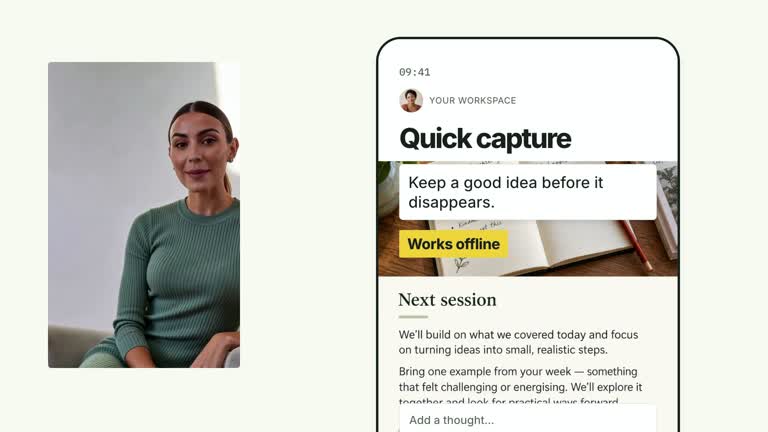
Explain a rescheduling action by keeping an event recognizable as it moves between calendar slots. A phone introduces the request, an outlined destination prepares the move and confirmation follows the completed travel, while a supplied presenter remains in a circular crop. This 6.8-second scene simulates the action; it does not connect to a calendar or change an appointment.
What you get
A local generator, editable HyperFrames scene and motion/review instructions for a 1920×1080, 30 fps segment. Generate the calendar/phone/presenter composition and render the resulting explanatory video.
Five calendarLabels, eventTitle, fromSlot and toSlot as zero-based [column,row] pairs in a five-column/four-row model, plus request and confirmation. calendar-screen and chat-avatar raster slots have bundled illustrative defaults; presenter footage is a separate required input.
A stable calendar surface, phone entrance from 0.70 seconds, request from 1.30 seconds and destination cue from 2.15 seconds. The event moves from 2.65 to 3.55 seconds with a small lift/settle; confirmation enters from 3.82 seconds, after the move.
Four styles keep the same data and choreography: White & Yellow (white-yellow), Charcoal & Lime (charcoal-lime), Paper & Orange (paper-orange), and Black & White (midnight-ice). Semantic style overrides are supported; check contrast after changing them. Dark canvases use a fine grid. Local fonts include Inter, IBM Plex Mono for measurements and ordinals, Smiley Sans and Noto Sans SC. Chinese text selects Smiley Sans automatically, including accompanying Latin text; --zh-font noto-sans-sc selects Noto Sans SC, while --font takes precedence for a supplied font.
Before you choose
Verify the request, event coordinates and confirmation as one story. A realistic phone and calendar can make a simulated action look live, so keep any claim of real service behavior separate from the animation.
Good fit
A creator illustrating a single calendar change with a clear request-to-action-to-confirmation sequence.
A short teaching passage where the source and destination must remain spatially understandable beside a speaker.
A series using consistent calendar geometry, phone dialogue and presenter framing.
Not for
Rescheduling real events, interpreting natural-language requests or verifying a calendar-service result.
An arbitrary calendar screenshot without checking its grid alignment, many simultaneous event moves or a complete scheduling app.
Automatic long-form editing, generation of missing presenter footage or soundtrack, or copying another creator’s identity and interfaces.
How to use
You say/creatormotion-pip-calendar-reschedule Turn my supplied explanation into a white-yellow B-roll scene using the Calendar Reschedule effect. Use the text, data and media I provide, and ask for any required input that is missing.
Prepare five day labels and a concise event title, request and confirmation. Set fromSlot/toSlot using integer column indices zero through four and row indices zero through three. Check the wording against the actual selected slots; request and confirmation are independent text, not interpreted commands.
Supply a continuous local presenter take at least 6.8 seconds long. It is muted and strongly cropped/zoomed in a circular viewport; inspect face framing and overlap with the phone. Never loop a shorter take to fill the shot. This composition uses a circular crop, not a transparent alpha-matte cutout.
Reuse calendar-screen and chat-avatar defaults or replace exact slots with --images MAP.json. Relative paths resolve beside that map. The visible calendar grid is raster material beneath editable day labels and event geometry, so a replacement must match the slot layout; arbitrary screenshots will not realign it automatically.
Prepare Node.js 22+, FFmpeg and HyperFrames CLI 0.8.30. From the extracted package run node scripts/create.mjs --out /absolute/PROJECT --data /absolute/CONTENT.json --style white-yellow --media /absolute/PRESENTER.mp4. Use another documented palette or semantic --overrides as needed. Read the motion specification, DESIGN.md and image policy before adapting materials.
Run the generated project’s lint, validate and inspect checks, then render with the printed command. Inspect actual MP4 frames at entry, every focus change and the final reading hold for seams, clipping, contrast and media overlap. Keep essential text and interface targets readable; compare all four palettes with identical content after module changes. Narration is separate, and a silent preview does not establish audio synchronization. Check the original slot, outlined destination and event travel with your actual calendar image. Keep the final confirmation readable and avoid presenting the illustrative notification as evidence of a successful external operation.
Requirements and costs
You bring
calendarLabels: provide your own content or retain the illustrative default. · eventTitle: provide your own content or retain the illustrative default. · fromSlot: provide your own content or retain the illustrative default. · toSlot: provide your own content or retain the illustrative default. · request: provide your own content or retain the illustrative default. · confirmation: provide your own content or retain the illustrative default.
Dependencies
HyperFrames CLI 0.8.30 or compatible — required · Node.js 22 or newer — required · FFmpeg — required
Outside costs
Not collected yet
Tools used
HyperFrames
Publisher testing
v1.0.1 — Claude Code / Claude Desktop / Cowork / Codex / ChatGPT
FAQ
Yes. The six documented content fields are JSON inputs, with four palettes and semantic overrides. Static text baked into calendar-screen is not changed by the calendar label fields; replace the image when necessary.
Yes. Supply a continuous local presenter take covering the 6.8-second scene through --media. Default calendar/avatar images are supplied, but they do not generate or replace the presenter. An alpha matte is not used here.
Yes. Preserve recognizable event travel before confirmation and keep source/destination readable. Re-render after slot, image or crop changes rather than replacing the action with a generic card entrance.
No. You supply both slot pairs. The request and confirmation are displayed text, with no calendar API, language interpretation or real rescheduling.
Only after checking or adapting the geometry. Event positioning and the day-label overlay use authored slot coordinates; the raster background is not analyzed to find its cells.
User reviews
—0 reviews
Select a star to share your experience.
No reviews yet. Ratings appear once readers share real experiences.