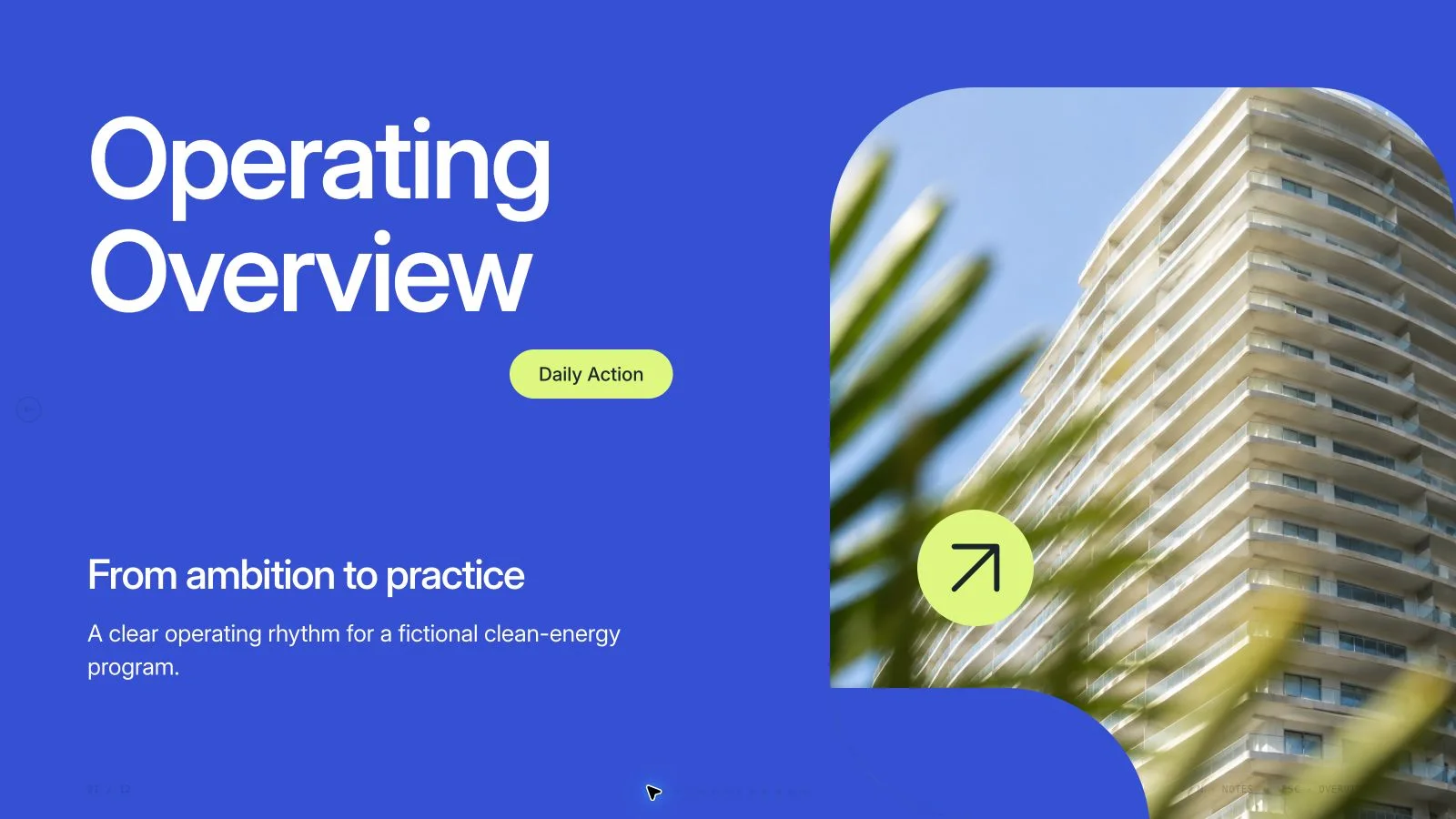
Explain a community service through the people it helps, the access it offers and the operating choices behind it. Blue Lime Ledger Deck pairs a white analytical grid with tall editorial photos, strong black headings, blue/lime labels and narrow rounded bar charts. Its borrowing-library example can be adapted to approved subjects and the exact requested page count.
What you get
A narrative shaped to the agreed count, selecting from twelve example roles: people, capacity, opportunity, introduction, borrowing journey, catalogue, welcome, place, learning, care, review and close. They can be reordered, combined or extended; twelve pages and seventeen example pictures are not default requirements.
A white/near-black/electric-blue/lime visual grammar with tracked utility text, black capsule labels, inline lime word emphasis and tall rounded photographic cards. Data pages combine narrow black bars with discreet labels and blue/lime statistic tiles; one opportunity layout runs a continuous scene behind separated colored tiles and wide white gutters.
Browser-editable words, chart labels and diagram objects, with notes for delivery and print styling for a one-page-per-slide PDF. The example planning chart is illustrative, and people, products and locations are concept imagery rather than verified service capacity, testimonials or inventory.
Seventeen local library pictures and seventeen recipe slots, mainly tool lending, DIY, repair workshops, product categories and staff scenes. Many catalog items are topic-specific; using them for another service requires a matching subject or approved replacements. An art ledger tracks only the images the actual page plan needs, with no fixed generation quota.
A standalone 16:9 HTML deck with viewing, editor thumbnails, notes and presentation mode, plus requested PPTX/PDF. The package includes recipes, shared runtime, Python build/check tools and Node media helpers. Text/notes stay editable in PowerPoint, photos remain separate and other geometry/artwork becomes rendered layers.
Before you choose
Read the capacity page beside the service journey and care checklist. A promise of access needs plausible staffing, inventory and maintenance assumptions supplied by the team. Keep missing inputs visible rather than filling them with a tool photograph or an illustrative bar.
Good fit
A community lending/library or service proposal needs to explain users, access, capacity and operating care through one consistent story.
A team wants analytical layouts and varied photographic pages without changing visual language at every section.
A presenter can provide a clear message, audience, approved source material and an agreed length for adaptation beyond the example.
Not for
Reproducing protected artwork, identities, characters or recognizable reference people. All retained assets must be approved for the actual use.
Automatic research or verification of demand, capacity, operating locations, inventory, measurements or testimonials.
An export where every chart, card and decorative object remains a native PowerPoint shape.
Treating example tool/repair photographs or illustrative bar values as proof that your own service has those facilities, items or outcomes.
How to use
You say/blue-lime-ledger-deck Create a twelve-page proposal for a fictional community tool library with blue-and-lime data layouts and original photographs.
Provide topic, audience, key messages/source material, language and exact requested count, adding duration when relevant. Supply actual demand/capacity figures, service scope, approved locations and permitted images if making real claims. Agree a count first when none is supplied, including opening and closing in the total unless otherwise requested.
Plan useful page roles around the service rather than copy the example order. Adapt, combine or extend the twelve recipes while retaining white analytical space, black/blue/lime hierarchy and distinct photographic/data pages. The theme reference describes one authored Blue Lime Ledger direction, not multiple named preset alternatives.
Keep the planning chart and all words/labels in editable nodes, with meaningful values, units and source notes. Replace illustrative indices and do not invent inventory, research or testimonials to fill a tile. Use inline SVG only for meaningful reading cues; functional primitives can recur without pretending to be new photographic artwork.
Create an art ledger per actual slot with page, subject, aspect, placement, palette, prompt and saved result. Choose suitable library reuse, reuse plus generated gaps or regenerate-all, giving approved user pictures priority. Seventeen local catalog assets are available, but tool lending, repair, sewing, AV and workshop scenes have specific topic boundaries. List unmatched frames instead of using irrelevant proof-like pictures.
Use each artwork on one page only: recropping, rotating or recoloring the same source does not create an independent photo. Match the kit’s mix of tall portraits, square objects and 3:2/4:3/16:9 scenes. Keep the opportunity photograph continuous within its one composition and ensure tile interruptions do not distort the subject.
Embed catalog IDs with the checksum-verifying Node helper. For authorized new assets, use the built-in image tool or optional paid FAL submit/status/fetch path with FAL_KEY; keep returned task IDs and do not automatically retry failed paid requests. Account/provider charges may apply. When tools are unavailable, use suitable existing images or report labeled gaps rather than asserting a finished build.
Compose/build/check with Python 3 and the agreed count/style kit, resolving leftovers and image slots. Node is for media helpers, not core assembly. Preserve useful image resolution with quality-preserving WebP and final fonts/media embedded, keeping under 20 MB. Review actual page numbers, thumbnails and notes against the final slide list.
Open over local HTTP and inspect each 1280×720 page for chart scale, crops, unique artwork, text bounds and contrast. Test Edit/E, notes/order/object edits, undo/redo, Save and reopening. Export only requested PPTX/PDF, run check-pptx.py and inspect text/notes, rendered diagrams and fonts in the target application. Record actual findings; an HTML check is not visual or factual approval.
Requirements and costs
You bring
Presentation topic and audience · Key messages or source material · Desired slide count and language
Dependencies
A browser for presentation and verified print export · Node.js for local validation · A host image generation tool for fresh artwork · Chrome, Chromium or Edge plus Node.js 20 or newer — required only for PowerPoint export
Outside costs
Generating new artwork may incur a separate provider charge. The included original example can be viewed without image generation.
Publisher testing
v1.0.5 — Claude Code / Claude Desktop / Cowork / Codex / ChatGPT
FAQ
Yes. Retain the visual grammar while building from your approved material and exact agreed count. The twelve example page roles can be selected, combined, reordered or extended; they are neither a mandatory sequence nor a limit. If no count is given, agree it from the content and duration.
Not for suitable reuse of the seventeen local library pictures. Many are specific to tool lending, DIY, repair or workshop activities, so check topic fit first and prefer approved supplied images. Fresh pictures follow the actual page needs without a quota and may incur provider charges/account limits. List any unmatched slot.
Use Edit or E to change text, pictures, order and notes, then Save the standalone HTML. The shared editor supports individual colors but has no preset theme picker; this package documents one authored blue/lime direction. PPTX keeps text/notes editable and photos separate, with other artwork rendered. Core composition/build/check uses Python 3; Node supports media helpers. Verify the native export separately.
The included people, products, places and chart values are illustrative concepts. Supply approved operational evidence for an actual proposal and distinguish targets from measured capacity or demand. Do not inherit the sample inventory or imply a photographed service exists at your location.
User reviews
—0 reviews
Select a star to share your experience.
No reviews yet. Ratings appear once readers share real experiences.