CreatorMotion · Scattered Images to Presenter Wall
Previews from the publisher
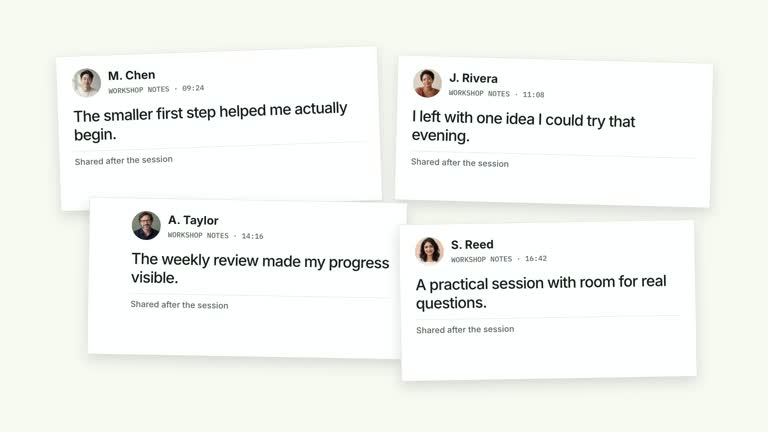
Move from a photographic opening to a speaker framed by related images. The first picture contracts from a large crop into a tilted collage; the four photographs then move to the sides, revealing the presenter in the center. Captions arrive after the layout settles. This 6.8-second segment needs your presenter material for the intended speaker-led result.
What you get
A local generator, editable HyperFrames effect and motion/review guidance. Generate at 1920×1080 and render at 30 fps, with an optional landscape 4K render flag when suitable source footage is supplied.
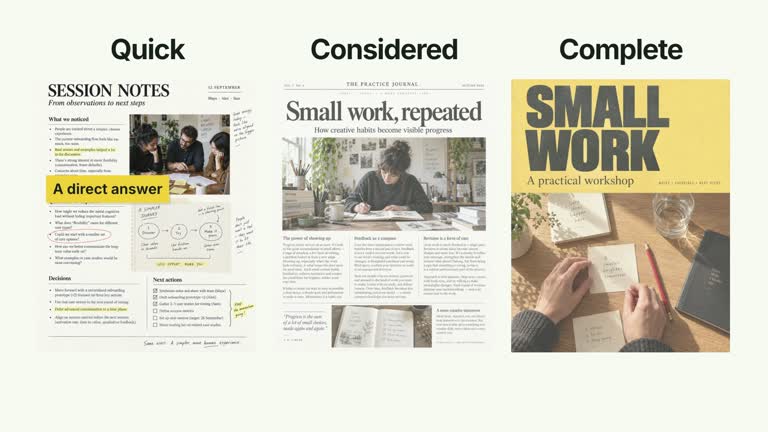
Four photo slots scene1–scene4, editable labels and a central presenter region. Bundled generated photographs provide an illustrative starting point; supply replacements when your explanation needs real material.
A large first-photo contraction, independent collage arrivals, a sideward re-layout beginning at 2.75 seconds and presenter entrance at 3.12 seconds. Captions appear at 3.58 seconds, with the presenter retained through the ending.
Four palettes preserve geometry and timing: White & Yellow (white-yellow), Charcoal & Lime (charcoal-lime), Paper & Orange (paper-orange) and Black & White (midnight-ice). Semantic overrides adapt styling; check contrast afterwards. Dark canvases retain a fine stationary grid. Fonts are local: Inter, IBM Plex Mono for measurements/ordinals, Smiley Sans and Noto Sans SC. Chinese text automatically selects Smiley Sans, including Latin words in the composition; --zh-font noto-sans-sc chooses the plainer face and --font embeds your own. Inspect wrapping after changes.
Before you choose
Choose the take and its framing before finalizing the surround. The four photos should explain the speaker’s topic and leave the face readable during the move, rather than becoming decorative obstacles around an untested cutout.
Good fit
A creator introducing several visual themes before taking the center of the explanation.
A short teaching passage where four concise photo captions can support the speaker without competing with their face.
A series requiring consistent photo-to-presenter motion, palette and typography.
Not for
Generating a missing presenter performance or guaranteeing clean automatic segmentation of every take.
Assuming a still portrait replaces the continuous speaker take, or expecting an automatic finished film with narration and music.
Copying another creator’s identity or footage, or treating generated default photographs as proof of a real result.
How to use
You say/creatormotion-collage-scatter-presenter Turn my supplied explanation into a white-yellow B-roll scene using the Scattered Images to Presenter Wall effect. Use the text, data and media I provide, and ask for any required input that is missing.
Prepare four short labels and choose scene1–scene4 images. The code constructs four photographs directly, so provide four labels that match their slots. Keep the first image suitable for both a large opening crop and a smaller collage view.
Supply a continuous presenter take through --media for the 6.8-second timeline. Prefer an aligned transparent cutout from the same take through --matte or presenter-matte in the image map. Alpha-channel footage can serve as its own cutout.
If no cutout is supplied, --matte auto invokes the documented local HyperFrames remove-background workflow, downloading model weights on first use and caching by source checksum. --matte off disables automatic cutting; this effect can fall back to the rectangular take, which changes the intended appearance. Inspect hair, hands and fast movement rather than assuming the edge is clean.
Prepare Node.js 22+, FFmpeg and the documented HyperFrames CLI 0.8.30. From the extracted package run node scripts/create.mjs --out PROJECT --data CONTENT.json with the chosen --style. Map replacement images through --images; relative paths resolve beside that JSON and unlisted slots retain defaults. Add semantic --overrides as needed and read the image policy before adapting materials. Include the chosen --media and --matte inputs. The generator records cutout provenance/checksums in build/image records.
Lint, validate and inspect the generated HyperFrames project, then render at 1920×1080 and 30 fps with the pinned CLI. Check actual MP4 frames at the opening, changes of focus and final hold for cropping, overlap, contrast and seams. Review all palettes when editing the module. Narration, music and assembly remain separate work; a silent preview does not establish audio synchronization. Inspect contraction, side re-layout, face clearance, photo captions and the final presenter frame. For 4K, use suitable 4K footage and --resolution landscape-4k; this does not create missing source detail.
Requirements and costs
You bring
labels: provide your own content or retain the illustrative default.
Dependencies
HyperFrames CLI 0.8.30 or compatible — required · Node.js 22 or newer — required · FFmpeg — required
Outside costs
Not collected yet
Tools used
HyperFrames
Publisher testing
v1.0.2 — Claude Code / Claude Desktop / Cowork / Codex / ChatGPT
FAQ
Yes. labels controls the four captions, while image slots and palette/semantic overrides adapt the material and styling. Recheck face clearance and caption contrast with your actual images and take.
For the intended central speaker result, yes. Supply a continuous take; the generator can create its aligned cutout locally if you do not have one. Bundled still photographs do not generate a presenter performance.
Yes. Preserve the single-image opening, scattered collage and definite re-layout around the presenter. A continuously drifting photo field would communicate a different relationship.
Review the cutout first and supply a cleaner aligned matte if necessary. The workflow can cache a result and record its provenance, but those records do not establish edge quality or correct visual framing.
Yes with --matte off, while an explicitly supplied cutout or alpha source may still be used by precedence. Without a cutout the scene falls back to the rectangular take; inspect how that affects the surrounding photos.
User reviews
—0 reviews
Select a star to share your experience.
No reviews yet. Ratings appear once readers share real experiences.