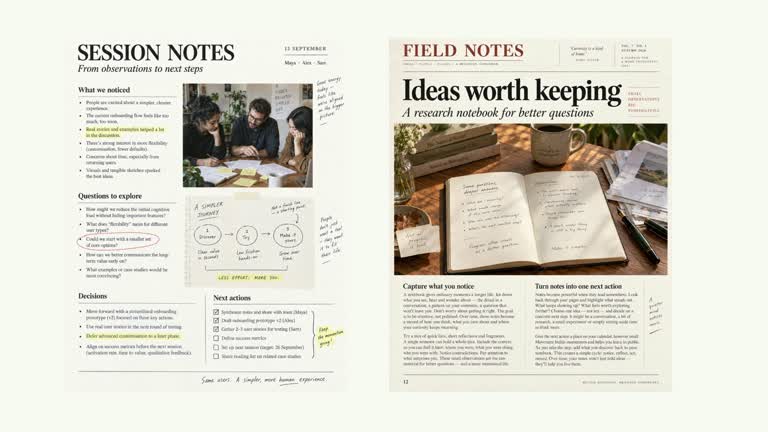
Compare three document previews without replacing them as the explanation progresses. Focus moves between the aligned columns while short annotation strips reveal over the active page. Earlier notes stay visible, and the source images return to full emphasis for the final comparison. This eleven-second effect presents your observations; it does not read or assess the documents.
What you get
A local generator, editable HyperFrames effect and motion/review instructions. Generate the 1920×1080 project and render a 30 fps annotated-comparison segment.
Columns with title, image key and notes arrays, plus a focusOrder of valid zero-based column indexes. Default image slots quick, considered and complete provide illustrative tall previews.
Sequential focus passes beginning at 1 second with 2.7-second spacing. Annotations reveal horizontally in their column while only the source-paper layer dims; images restore at 9 seconds for a completed comparison.
Four palettes keep geometry and timing consistent: White & Yellow (white-yellow), Charcoal & Lime (charcoal-lime), Paper & Orange (paper-orange) and Black & White (midnight-ice). Semantic overrides need a contrast check; dark canvases retain a fine stationary grid. Bundled local fonts include Inter, IBM Plex Mono for measurements/ordinals, Smiley Sans and Noto Sans SC. Chinese copy automatically selects Smiley Sans, including Latin words; --zh-font noto-sans-sc selects the plainer face and --font embeds your own. Inspect wrapping after changes.
Before you choose
Write observations that refer to something visible in the corresponding preview. If a source detail is too small or covered by a note, give it a close-up elsewhere rather than expecting a large annotation to substitute for the evidence.
Good fit
A creator comparing a small set of results or documents through specific observations on each.
A short teaching passage with concise headings and notes that can be read over tall preview material.
A series using consistent column geometry, annotation rhythm and typography.
Not for
Automatic document analysis, fact checking or proof that one result is better than another.
A shared feature table or an unrestricted set of columns and notes. The authored three-column layout and eleven-second timing need deliberate adjustment for a larger brief.
Automatic full-film editing, generated presenter performances or music, or copying a reference creator’s identity and source material.
How to use
You say/creatormotion-comparison-column-annotations Turn my supplied explanation into a white-yellow B-roll scene using the Column Annotations effect. Use the text, data and media I provide, and ask for any required input that is missing.
Prepare three columns with title, image and short notes arrays. Give focusOrder valid integer indexes in the order you intend to discuss them. Include each column whose annotations should appear; omitted columns do not receive an animation pass.
Replace quick, considered and complete or use your own mapped keys. The helper accepts an exact key or its extension-free form, so content such as quick.png can use the quick image-map key. Although the guide calls image optional, the implementation calls requiredImage for every column; provide a resolvable image key.
Keep annotation counts within the available column height and per-column timing. Multiple notes reveal at 0.6-second spacing; long lists can overlap the next pass or the final reading state. No presenter video or alpha matte is used.
Prepare Node.js 22+, FFmpeg and the documented HyperFrames CLI 0.8.30. From the extracted package run node scripts/create.mjs --out PROJECT --data CONTENT.json with the chosen --style. Use semantic --overrides if needed. An --images JSON maps named slots to local files, with relative paths resolved beside the map and unlisted slots retaining bundled defaults. Read the image policy before replacing material.
Lint, validate and inspect the generated HyperFrames project, then render at 1920×1080 and 30 fps with the pinned CLI. Review real MP4 frames at the opening, each handoff and final state for clipping, contrast and correct labels. Keep at least 1.2 seconds for final reading when editing timing, and compare all palettes with identical content after module changes. Narration, music and film assembly remain separate work. Check the document/annotation match, each focus pass and restoration of all pages. Ensure dimming does not reduce annotation readability, and that your notes do not cover the very details they describe.
Requirements and costs
You bring
columns: provide your own content or retain the illustrative default. · focusOrder: provide your own content or retain the illustrative default.
Dependencies
HyperFrames CLI 0.8.30 or compatible — required · Node.js 22 or newer — required · FFmpeg — required
Outside costs
Not collected yet
Tools used
HyperFrames
Publisher testing
v1.0.1 — Claude Code / Claude Desktop / Cowork / Codex / ChatGPT
FAQ
Yes. Column headings, note strings and focusOrder are supplied in JSON, with palettes and optional semantic overrides. Images are supplied through named local slots rather than extracted from the note text.
No presenter footage is used. Bundled preview images are available, but every column needs a valid image key resolving to a default or your replacement. No matte is required.
Yes. Keep tall aligned previews, one-column-at-a-time attention and cumulative notes. The completed annotations should remain readable when all document layers restore.
The exposed content supplies the note strings. The effect animates them and does not analyze the image, verify the observations or decide which document is best.
The code can build additional elements, but the authored geometry and focus schedule do not guarantee fit within eleven seconds. Reduce density or adapt layout/timing, then inspect the rendered comparison.
User reviews
—0 reviews
Select a star to share your experience.
No reviews yet. Ratings appear once readers share real experiences.