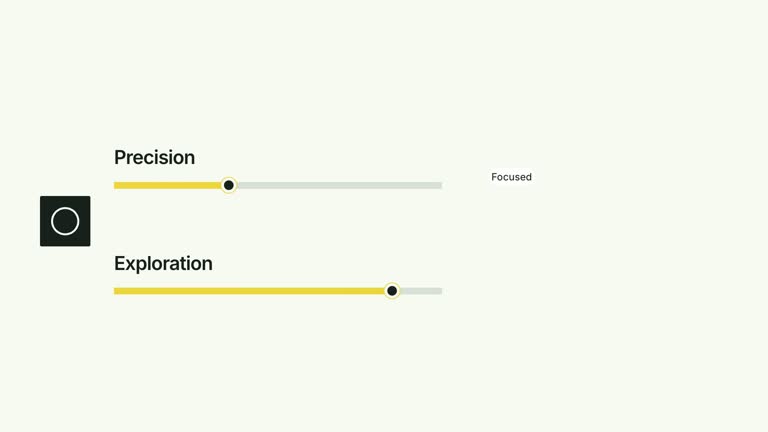
Compare a constrained track with one that has room to continue. Two labeled capacities establish a common linear scale, then the first fill contracts into a segmented depiction as the view pulls back. This nine-second effect illustrates a reset, but its compressed state is a fixed visual treatment rather than a calculated optimization result.
What you get
A local generator, editable HyperFrames effect and motion/review instructions. Generate a 1920×1080 project and render a 30 fps capacity-comparison segment.
Matching two-item labels, values, capacities and statusLabels arrays. Track lengths use capacity relative to the largest capacity; initial occupancy uses value ÷ capacity, so the opening geometry follows your supplied quantities.
An opening track reveal, first-track status cue and contraction beginning at 2.40 seconds. Segments appear during that change, the camera pulls back from 3.40 seconds and the remaining-space caption appears at 5.10 seconds.
Four palettes share geometry and timing: White & Yellow (white-yellow), Charcoal & Lime (charcoal-lime), Paper & Orange (paper-orange) and Black & White (midnight-ice). Semantic overrides adapt styling; check contrast after changes. Dark canvases retain a fine static grid, with distinct neutral values in Black & White. Bundled local fonts include Inter, IBM Plex Mono for measurements/ordinals, Smiley Sans and Noto Sans SC. Chinese content automatically uses Smiley Sans, including Latin words in the composition; --zh-font noto-sans-sc selects the plainer face and --font embeds your own. Recheck wrapping after changes.
Before you choose
Use this for the idea of a capacity reset, with the distinction between measured opening state and illustrative contraction made clear. If the final size carries a quantitative claim, replace the fixed contraction with the actual measured value before publishing.
Good fit
A creator explaining saturation and a conceptual compaction/reset alongside a second capacity with unused space.
A short teaching comparison with compatible units, positive capacities and concise labels.
A series using consistent track geometry, status wording and typography.
Not for
Automatically calculating a new compressed capacity, measuring a system’s efficiency or changing actual storage/workflow state.
Over-capacity or negative input examples without adapting the implementation; the documented schema expects values within positive capacities.
Automatic long-form editing, generated presenter performances or music, or copying a reference creator’s identity and materials.
How to use
You say/creatormotion-comparison-capacity-reset Turn my supplied explanation into a white-yellow B-roll scene using the Capacity Reset effect. Use the text, data and media I provide, and ask for any required input that is missing.
Supply matching two-item arrays for labels, values, capacities and statusLabels. Use positive capacities and values between zero and capacity, with the same measurement unit. The default first track is full while the second retains unused room.
Decide how to explain the reset honestly. The code always animates the first fill to 38% of its track and draws a fixed set of segment marks; no compressed-value input or optimization calculation determines that final width. Label the change as illustrative or adapt the implementation to measured results.
Check that the first status and second unused-space description actually fit your inputs. The fixed final caption says Unfilled space remains available even if you choose values that fill the second track; update copy/code if the example changes. No raster images, presenter take or matte is used.
Prepare Node.js 22+, FFmpeg and the documented HyperFrames CLI 0.8.30. Run node scripts/create.mjs --out PROJECT --data CONTENT.json with your chosen --style from the extracted package. Use semantic --overrides if needed. The shared --images option replaces named local slots with paths relative to its JSON, but this effect uses editable numeric/type/geometry elements without an active raster slot or presenter take.
Lint, validate and inspect the editable HyperFrames project, then render at 1920×1080 and 30 fps using the pinned CLI. Review the opening, every change and final comparison in the actual MP4. Keep at least 1.2 seconds of final reading time when editing the timeline; check all four palettes with identical content after module changes. Narration, music and film assembly remain separate work. Compare the initial track lengths and occupancies with your values, then inspect contraction and segment contrast. Keep the second track on the same scale through the pullback and check that the final caption remains true.
Requirements and costs
You bring
labels: provide your own content or retain the illustrative default. · values: provide your own content or retain the illustrative default. · capacities: provide your own content or retain the illustrative default. · statusLabels: provide your own content or retain the illustrative default.
Dependencies
HyperFrames CLI 0.8.30 or compatible — required · Node.js 22 or newer — required · FFmpeg — required
Outside costs
Not collected yet
Tools used
HyperFrames
Publisher testing
v1.0.1 — Claude Code / Claude Desktop / Cowork / Codex / ChatGPT
FAQ
Yes. Supply the four matching arrays, select a palette or use semantic overrides. The capacity kicker and remaining-space sentence are fixed strings in the implementation; edit them if they do not describe your subject.
No. Tracks, marks and labels are editable geometry/type. Generic image-default and presenter/matte instructions apply only to effects that actually use those materials.
Yes. Preserve the two capacities, constrained-track status, contraction/segmentation and pullback showing unused runway. Re-render after changes so segment marks remain visible in every palette.
No. Initial occupancy is data-derived, but the first fill then contracts to a fixed 38% track width. Treat that as an illustrative reset unless you modify the code to use a defined measured outcome.
Use two positive capacities with values inside them and compatible units. Make the first status and second remaining-space caption agree with the chosen figures; the effect does not validate those statements for you.
User reviews
—0 reviews
Select a star to share your experience.
No reviews yet. Ratings appear once readers share real experiences.