Lime Endurance Deck

Explain an everyday movement program through its experience, structure and practical first steps. Lime Endurance Deck layers editable white/lime headings and frosted cards over warm outdoor photography, with rounded canvases and powder-blue rings. Its athletes, interface and program story are illustrative; your source material must establish any real features, prices, testimonials or health outcomes.

What you get

  • Twelve optional compositions: cover athlete; dumbbell athlete/ring with two lower panels; architecture with three frosted cards; phone with four feature cards; stretching athlete/capability cards; three structure cards over a court; cutout portrait/concentric circles; runners with large chapter cues; two preparation details; group walk; reflection notebook; sunrise-runner close. Adapt the sequence/count to the brief rather than filling every recipe.
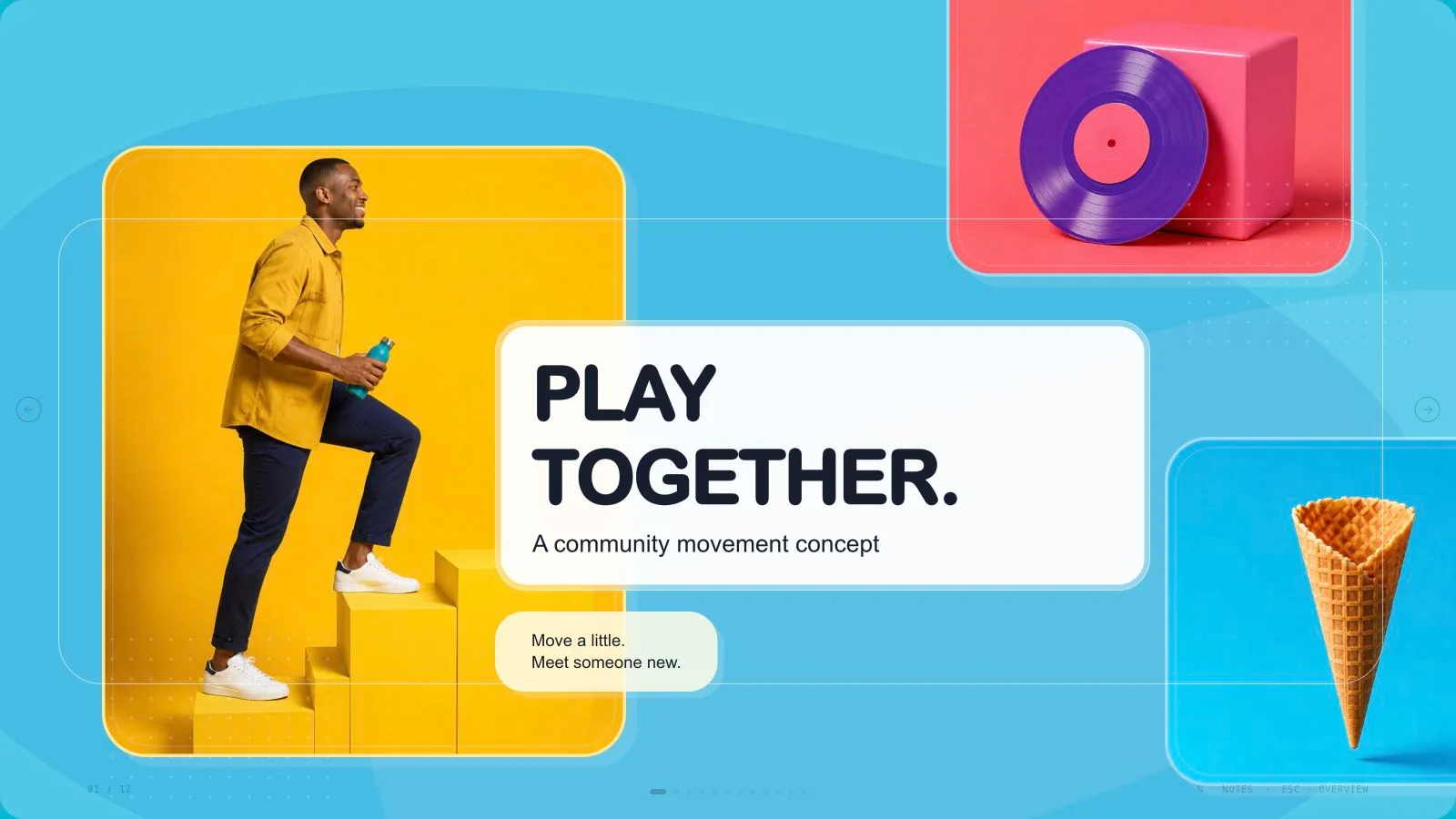
  • A lime #d5ff66, charcoal-green #192520 and warm-ivory #f6f4e9 system inside a muted blue-gray outer canvas. Oversized rounded photo frames, uppercase Inter-style headings, translucent cards and powder-blue rings create a sports-editorial rhythm. Typography, cards, circles and the illustrative phone interface remain editable; the interface is not a working movement app.
  • Thirteen catalog assets include athletes, runners, stretching, equipment, outdoor architecture, a blank handheld phone and notebook. Many are fitness/running-specific. Use each pictorial source once with clear faces/hands and headline space; do not present fictional subjects as actual customers or proof of program effectiveness.
  • A generated standalone 1280×720 HTML deck with navigation, overview/thumbnails, notes, editing, presentation mode and print styling. The installation supplies style recipes, references, catalog and build/media tools. Its generic schema fixture is not a finished custom program deck; requested full-page WebP previews are separate outputs to create and inspect.
  • Optional verified PPTX and PDF exports. Text/notes export natively and pictures separately; backgrounds, SVG decoration, frosted effects and other complex layers are rendered. PDF printing produces one 16:9 slide per page. Check actual recipient fonts and pages rather than claiming identical wrapping or every layer as a native shape.

Before you choose

Make the first step practical without promising a health result. Readers should understand the proposed experience, what is actually available and what would need evidence. Keep the editable phone mockup and fictional athletes in that illustrative role, while source-backed statements carry any real program claims.

Good fit

  • A program owner has a defined audience and accurate material about an everyday movement experience.
  • A team needs coordinated pages for the program structure, feature concept, preparation, different participation paces and reflection.
  • A presenter can supply messages, evidence, language and desired length and review the deck at full size.

Not for

  • Reproducing source artwork, athlete identities, logos, brands or protected characters.
  • Automated research, individualized exercise advice or unsupported health, traction, testimonial and pricing claims.
  • A working fitness app or an all-native-shape PowerPoint requirement; the phone is a presentation illustration and some export layers are pictures.

How to use

You say/lime-endurance-deck Create a twelve-page everyday movement program deck with warm outdoor sports photographs, lime accents and frosted cards.
  1. Provide topic, audience, key messages/source facts, language, exact slide count and relevant duration. Include the opening/closing within that count unless agreed otherwise; if unspecified, agree the length from content and time. Separate a proposed program or interface from confirmed features and measured outcomes.

  2. Plan distinct jobs for the experience, structure, practical start, participation and reflection pages. Select/extend the twelve recipes without forcing every athlete composition or feature-card count into the story. Replace fictional copy and interface content; do not invent health outcomes, traction, testimonials or subscription prices.

  3. Choose supplied pictures first, then suitable library reuse, generation for gaps or all-new imagery; reuse is the fallback without a choice/tool. Record page, subject, ratio, placement, palette, prompt and result. Use each pictorial source on one page only, with crops/rotations/recolors counting as the same asset. Functional SVG icons may repeat; no image quota applies.

  4. Check fitness/running subject restrictions and preserve full heads/hands within crops, negative space for headings and the centered phone/four-card arrangement when used. Generate at kit slot ratios through built-in tools or the FAL helper/FAL_KEY. FAL costs separately: submit once then poll/fetch, without automatic replacement after failure. Keep missing or unsuitable frames disclosed.

  5. Compose from recipes with new text, alt descriptions, pictures, icons and data and remove unused nodes. Python 3 handles composition/build/static checks; optional media helpers use Node. Resolve unfilled-image and leftover-example reports, verify the count and keep useful image quality/resources/fonts embedded under 20 MB. Preserve licensed font notices.

  6. Inspect every 1280×720 page over local HTTP for title fit, frosted-card contrast, photo crops, image uniqueness, phone-interface legibility, bounds, spacing and page/notes consistency. Check that visual cues do not imply evidence absent from the brief. Exercise text/block/order/layout/color edits, notes, undo/redo, Save/reopen and presentation mode, then correct failures.

  7. Deliver the standalone HTML in page view and explain Edit/E and Save (Cmd/Ctrl+S). Browser recovery is local; Save writes portable edits. Set interface/content languages independently with framework CJK/RTL support. Create and inspect requested WebP previews/PPTX/PDF separately. Palette guidance is not an editor theme picker, and the embedded PPTX menu replaces the retired mandatory Node/Chromium export chain.

Requirements and costs

You bring
Presentation topic and audience · Key messages or source material · Desired slide count and language
Dependencies
A browser for presentation and verified print export · Node.js for local validation · A host image generation tool for fresh artwork · Chrome, Chromium or Edge plus Node.js 20 or newer — required only for PowerPoint export
Outside costs
Generating new artwork may incur a separate provider charge. The included original example can be viewed without image generation.
Publisher testing
v1.0.5 — Claude Code / Claude Desktop / Cowork / Codex / ChatGPT

FAQ

User reviews

—0 reviews

Select a star to share your experience.

No reviews yet. Ratings appear once readers share real experiences.

Similar Skills

View all skills