Make a brief launch argument that moves from a moment of possibility to a problem and then your answer. ASCII Glitch combines typed words, glyph-shaped light, tracking marks, fast product imagery and real launch posts in an approximately eighteen-second film. The structure and cut rhythm carry the energy; your short lines and chosen materials carry the meaning.
What you get
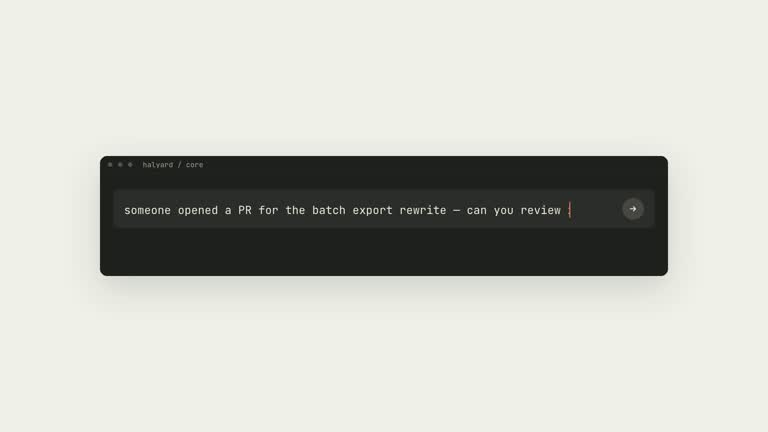
A browser-editable launch film built around a rolling and bending year, prompt-box typing, a three-dimensional screenshot wall, a dot-matrix turn, glitching eyes, profile/post cards and a logo sign-off. Glyph cells, coordinate tracking, scanlines and cuts as short as a tenth of a second define the visual language.
An H.264 MP4 designed for 60 fps at 1080p by default, with 2K and 4K render options. The standard preset is about eighteen seconds; short and long presets are approximately fifteen and twenty-one seconds, with scene timing and ordering choices for the available material.
An editable film folder with playback, shot navigation, a scrubber and an Edit copy form for fifteen text fields. Changes can be saved in the film data for another render; prompt-box imagery must be captured again when its typed sentence changes.
Capture, collection, assembly, preview, QA and render scripts, plus a report of copy and material sources. Product images/logos can come from Product Hunt, launch posts from public X embed data and prompt shots from the actual builder pages.
An optional continuous instrumental bed from FAL, ElevenLabs or your own track, aligned so its major hit lands on the turn. Optional themed eye imagery can use the supported generation routes. The film has no voiceover or sound-effects layer.
Before you choose
Choose ASCII Glitch only after your message works as a short argument without narration. Read the lines in order before watching the imagery: if the turn does not lead naturally to your product’s answer, more screenshots will not fix it. Review the final at normal speed, since a readable paused frame may still be impossible to read in a tenth-second cut.
Good fit
Founders and independent makers announcing a launch, release or manifesto on social channels such as X or LinkedIn.
AI products and launch agencies with recognizable real interfaces and public launch material to support a fast montage.
Marketers whose message fits short phrases and whose goal is a teaser rather than a narrated explanation.
Not for
A tutorial, voiceover explainer or message that needs long sentences to be understood.
A calm, light-only or minimal brand film. The dark, high-contrast glitch rhythm is the point of this format.
A film that must avoid third-party products or public launch posts. Those references are a central part of the supplied montage structure.
How to use
You say/ascii-glitch-launch-video Make a short launch film for [product name]. Use the product description and screenshots I provide, with the screenshots on the screenshot wall.
Define the claim before collecting assets. Supply your lines or a sentence about the message, the sentence to type into builder prompts, and a logo or short wordmark. Review the fifteen-line argument and material plan, keeping each line short enough to survive the fast cuts.
Choose the actual products, posts and optional profiles. The package suggests ten to sixteen product slugs and ten to fifteen launch-post links; fewer usable materials can suit the short preset. A Product Hunt human check may require your interaction, and genuine X profile collection may need an authenticated session.
Set up Node.js 20 or newer, FFmpeg and playwright-core with a supported Chromium browser. Capture prompt shots and product pages or collect Product Hunt images, then fetch the selected public posts. Check that typed text is visible and that every chosen screenshot, avatar and post-media frame is usable.
Assemble the storyboard, select an appropriate length preset and accent, and preview the film. Use Edit copy for wording changes, recapturing prompt shots when needed. Inspect contact sheets for cut-off words, missing avatars, blank post media and text that auto-fits so small it can no longer be read.
If wanted, choose a supplied track or review the provider route and cost before generating music or themed plates. Render at the selected resolution, check duration, frame rate, audio and the decisive turn at playback speed, and retain the material-source report with the editable film.
Requirements and costs
You bring
The lines of the film (or one sentence about your message; the agent writes the 15 short lines), and the sentence to type into the AI-builder prompt boxes. · The products, real X launch posts and logo to feature; optional: preset length, accent colour, resolution (1080p, 2K or 4K) and music.
Dependencies
Node.js 20 or newer — required · FFmpeg — required · playwright-core with Google Chrome or Playwright Chromium — required · A browser the agent can drive, for Product Hunt (you pass its human check yourself) — required for Product Hunt images · FAL_KEY or a ChatGPT Codex CLI login — optional, for generated image plates (FAL_KEY also covers the music bed) · ELEVENLABS_API_KEY — optional, alternative music route
Outside costs
Capturing screenshots, downloading posts and rendering run locally and are free. The optional music bed (FAL or ElevenLabs) and generated image plates (FAL, or your ChatGPT plan through the Codex CLI) are billed by that provider; the Skill names the cost and waits for your approval first.
Publisher testing
v1.0.1 — Claude Code / Claude Desktop / Cowork / Codex / ChatGPT
FAQ
Yes. The fifteen copy fields cover the year, main statement, turn, warning and closing phrases. The browser form updates the editable scenes live. A sentence shown inside a real builder’s prompt box also needs new captures; editing text does not rewrite an existing screenshot.
The workflow collects product logos/gallery images from Product Hunt, post material from public X embed data and prompt shots from live builder pages. It can also capture live product pages for the screenshot wall. Keep the source links and verify that each chosen asset actually loaded; a public URL alone does not guarantee a usable frame.
Music is optional: one continuous instrumental excerpt from FAL, ElevenLabs or a track you supply. Its strongest hit is aligned with the turn. There is no voiceover or sound-effects layer in this format.
Capturing and rendering run locally without a per-render provider charge. Optional generated music and themed image plates use the chosen provider or plan and may be billed. The workflow calls for naming the route and cost before submission; a track and imagery you already have can avoid those generation jobs. The optional image-plate paths are FAL with its key or an authenticated Codex CLI on a ChatGPT plan; music uses FAL, ElevenLabs or your track.
Short, standard and long presets adjust material beats, and a seed reshuffles some arrangements. Selected accent colors can change the light treatment. The glyph grammar and fast rhythm remain fixed; use another format if the story needs a slow explanation.
User reviews
—0 reviews
Select a star to share your experience.
No reviews yet. Ratings appear once readers share real experiences.