Introduce an AI product through an original crew of characters and concrete interface moments. Cue Style Launch Video develops a playful sixty-to-ninety-second story across kinetic headlines, phone and desktop scenes, an app constellation and a final surprise. Each character represents a real agent role, so the crew helps explain capabilities rather than merely decorate the announcement.
What you get
A character-led launch MP4, normally sixty to ninety seconds, with 1080p as the default and 2K/4K output options. The documented render format is 30 fps H.264 with an AAC soundtrack, composed and cut to a beat grid.
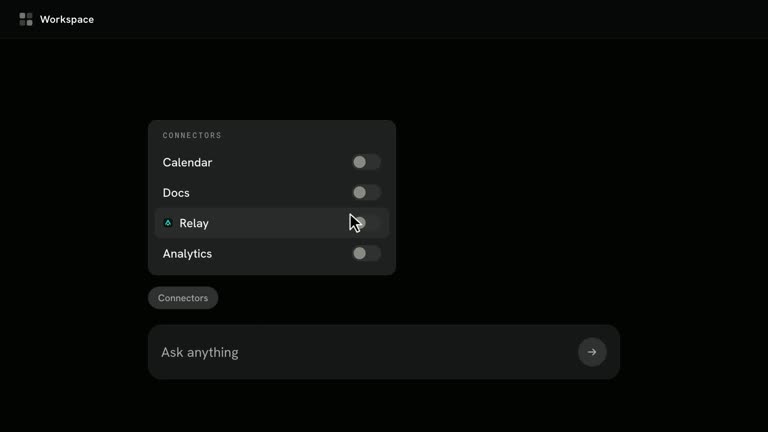
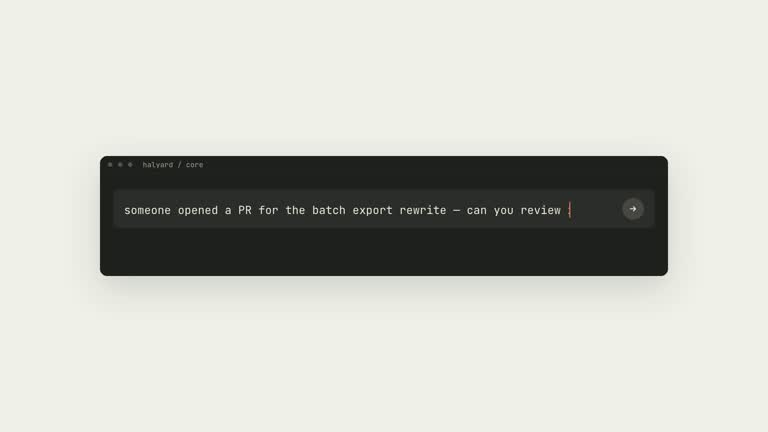
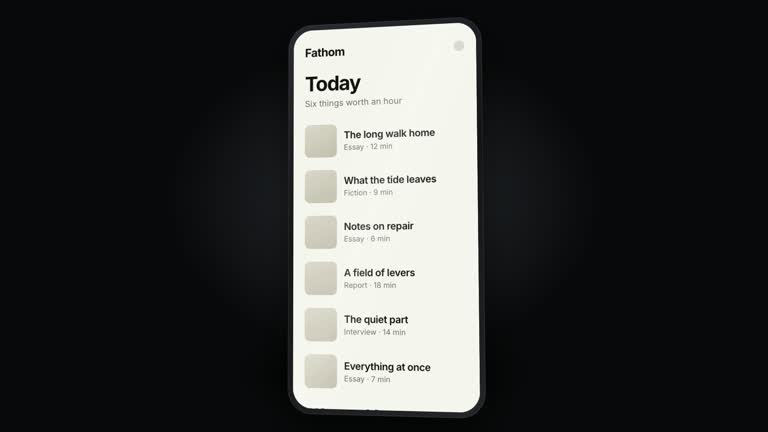
An editable HTML film folder containing storyboard, engine and assets, with a scrubbable preview. Its scene grammar includes a dotted canvas, kinetic headlines, original mascots, live-built phone/desktop interface moments, app relationships and a skill-to-agent transformation.
A research-to-delivery workflow with product capture, capability mapping, crew design, storyboard construction, media planning, score cutting, QA sheets and local rendering. A report records sources, generated-media jobs, character roles and output details.
A musical build toward the One More Thing card and reveal, followed by an end card. The soundtrack can be supplied or generated through the documented FAL route; optional stills and live-action clips can likewise use supplied media or approved generation.
Before you choose
Choose Cue when several agent roles and a broader capability story deserve time on screen. Start with the role-to-character map and one complete request-to-result scene. If neither makes the product easier to understand, simplify the story before adding more mascots or a larger app constellation.
Good fit
Teams announcing an AI agent, assistant or automation product with capabilities that can be shown through specific actions and results.
Founders and marketers who want a playful cast to explain multiple agent roles without borrowing an existing mascot.
Creators making a clearly identified concept film or product announcement for X, LinkedIn or YouTube.
Not for
A talking-head production, voiceover narration or subtitle-led explainer.
A product with no agent-like tasks to demonstrate through interfaces. Character animation alone will not establish a useful capability story.
An official Cue production or reuse of its film, crew, music or logo. This package describes an independent style study.
How to use
You say/cue-style-launch-video Make a launch film for our AI assistant at https://example.com in this style, about 75 seconds, with a crew of characters for each agent, generated clips and music.
Provide the product name or official URL and choose language, approximate length and output resolution. Supply any clips, photographs or track you intend to use. The package declares Claude Opus 5.5 as its required host model; check that requirement against the actual host before starting this workflow.
Research the product’s own material and list what its agents can read, write, operate or schedule, where those actions occur and what approvals they require. Build scenes around supported capabilities rather than a generic list of AI promises.
Design one original character per agent role and keep that mapping consistent. Develop the story from introduction through capability moments, collaboration and integrations to the surprise, approval and closing beats. Show each interface action through to a legible result.
Prepare Node.js 20 or newer, FFmpeg and playwright-core with a supported browser; the documented app-logo workflow also uses local icon data packages. Plan generated media and costs before submission. Cut the score so its breakdown and drop align with the surprise and reveal, then build the storyboard and editable preview.
Inspect all QA sheets and replay the film. Check text over imagery, taps and cursors, device layouts, character placement and beat timing before a full render. Verify final resolution, frame rate, duration and audio, and retain a report of sources and generated assets. Higher-resolution output does not create extra detail in lower-resolution source clips.
Requirements and costs
You bring
A product name or website URL the film is about (an AI agent, assistant or automation product works best). · Optional: film length, language, output resolution (1080p default, 2K or 4K), brand accent color, and clips, photos or a soundtrack you own.
Dependencies
Claude Opus 5.5 (claude-opus-5-5) as the host model — required · Node.js 20 or newer — required · FFmpeg — required · playwright-core with Google Chrome or Playwright Chromium — required · FAL_KEY for GPT Image 2.5 stills, Seedance 2.5 clips and ElevenLabs Music v2.5 — optional
Outside costs
Rendering is local and free. Optional generated stills, live-action clips and the soundtrack run on FAL with your FAL_KEY and are billed by FAL per job; the Skill lists every job and waits for approval before submitting.
Publisher testing
v1.0.0 — Claude Code / Claude Desktop / Cowork
FAQ
Rendering is local, without a per-render generation charge. Optional stills, live-action clips and music submitted through FAL are provider-billed jobs. The workflow requires presenting the plan and cost before submission. You can instead supply suitable photos, clips and a track you may use.
No. The engine builds an original crew from shapes, colors, faces and accessories defined in the storyboard, with one character for each agent role. Keep a character’s meaning consistent across scenes rather than recreating the reference film’s mascots.
Its frontmatter declares claude-opus-5-5 and its guide treats that model as a workflow prerequisite for research, copy, crew and timing. That is a requirement written into this package, not proof that every host can select or run it automatically. Verify host compatibility before planning a run.
They are live-built interface scenes using the engine’s phone and desktop blocks. Ground their labels and actions in the actual product, then check that they accurately show what the product can do.
No. The render scales the composed stage to the chosen resolution. The documented generated live-action route supplies clips up to 1080p, which are enlarged in a 2K or 4K master; use higher-detail source footage when that matters.
User reviews
—0 reviews
Select a star to share your experience.
No reviews yet. Ratings appear once readers share real experiences.