Let a real product screen become the subject of a short launch film. Device-Canvas begins with a neutral device in a dark studio, scrolls its screen and then moves inside the interface to show one action and answer. A brief claim and color-split lockup close the sequence without turning it into a full feature tour.
What you get
A blueprint for a sixteen-to-twenty-second, 1920×1080, 30 fps H.264/AAC MP4: device arrival, screen scroll, one interface action, claim, short CTA and lockup reveal.
A CSS-perspective device method using a thickened bezel, a rotation-linked glass highlight and a separate soft shadow. It needs no model file, WebGL scene or generation-model job.
Screen-capture and staging guidance for a tall real product view, an oversized drawn cursor and the transition from viewing a device to reading the interface. The reference offers scale-through and matched-element cuts rather than merely pushing toward a picture of a screen.
Production, studio-craft, beat and retarget references for authoring the editable HyperFrames project, capture assets and metadata. The package contains those guides; the project and MP4 must be created for your screen.
Before you choose
Choose this when you already have one real screen interaction worth watching. Review the capture and action at full close-up before building the device: a glossy studio and convincing perspective cannot make a weak or unreadable interface demonstration stronger.
Good fit
A product with an actual interface whose visible action and result can support a short launch.
A team able to capture its own screen at sufficient resolution and height for scrolling and a close-up.
A launch that can focus on one convincing action rather than several independent features.
Not for
A product with no usable interface evidence or a film whose screen would have to be invented as a generic mockup.
A multi-feature tutorial. The single move into the screen is reserved for one action and its answer.
A production requiring a recognizable third-party handset or another company’s site on the screen; the guide calls for a neutral device and the caller’s own product.
How to use
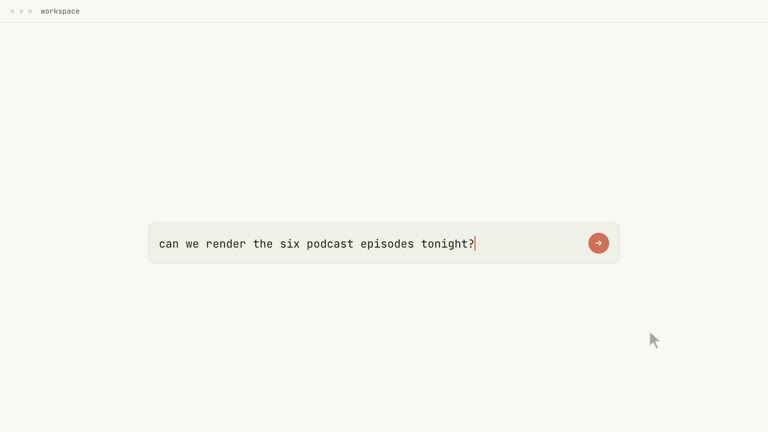
You say/hyperframes-device-canvas-launch Launch film for our app. Screen capture attached, the action is asking for a summary.
Choose the actual product action and result, then gather a tall screen capture at the device’s aspect ratio. Supply the claim, a CTA of no more than two lines, the lockup, dark studio ground and product accent.
Review the capture before staging it, removing private names, avatars, balances, messages and unapproved marks. The studio guide recommends source detail around twice its on-screen size and roughly three to five screens of height for a useful short scroll.
Prepare HyperFrames CLI, Node.js 22 or newer and FFmpeg and locate the referenced motion guidance. Build the neutral CSS slab first with matched highlight rotation and a separate shadow; keep perspective within the guide’s approximate twenty-six-degree rotation limit.
Build the scroll from one value, then choose the scale-through or matched-element seam into the interface. Show the selected action clearly and verify its depicted answer against actual behavior before adding the claim and reveal.
Inspect the screen at its largest close-up, not only on the distant device. Review cursor press timing, the device-to-interface seam and legibility at playback size, then run documented project/output checks. Verify final dimensions, frame rate, duration and audio as applicable, recording capture source and the action’s basis in the handoff.
Requirements and costs
You bring
A real capture of your product's screen, tall enough to scroll · The one action the film performs inside the interface, and what the product answers · The claim, and a two-line CTA · The lockup · Two colours: a dark studio ground and one product accent
v1.0.0 — Claude Code / Claude Desktop / Cowork / Codex / ChatGPT
FAQ
No. The guide uses a CSS-perspective slab with bezel thickness, a moving highlight and a separate shadow. Keep rotation restrained—roughly under twenty-six degrees in the reference—so the flat construction does not reveal its limits.
The package’s staging keeps attention on your product rather than a second hardware brand. A neutral slab avoids recognizable cutouts, camera arrangements and button details. The guide allows the caller’s own manufactured hardware, with that choice recorded in the handoff.
The close-up is where the film earns its length. One readable action and answer can show usefulness in a few seconds; adding another tends toward a tutorial with different pacing. Choose the most convincing operation, not the largest feature checklist.
At the frame where the screen fills the most space. Material that looks sharp on a small distant device may break down when the film goes inside it. Check readable text and the result at that maximum scale before finishing the staging.
No. The archive contains the production and studio-craft guides and checklists. An agent uses them to build the HyperFrames device, capture sequence and final film. It does not include a finished executable project.
User reviews
—0 reviews
Select a star to share your experience.
No reviews yet. Ratings appear once readers share real experiences.