Use a live browser studio to build a cute character from selectable forms, colors, finishes and accessory styles, without AI image generation. Dot Avatar Maker also supplies the readable HTML source for rebranding or embedding in your own product. You choose and download the character in the page; opening the studio alone does not create an exported file.
What you get
The complete studio source as one HTML page with its interface, styling, character-generation code and translations together. A customization map identifies branding, tokens, catalogs and host hooks. The page has no build step, but its Three.js 3D modules load from a public CDN: “one file” does not mean the shipped studio is fully offline.
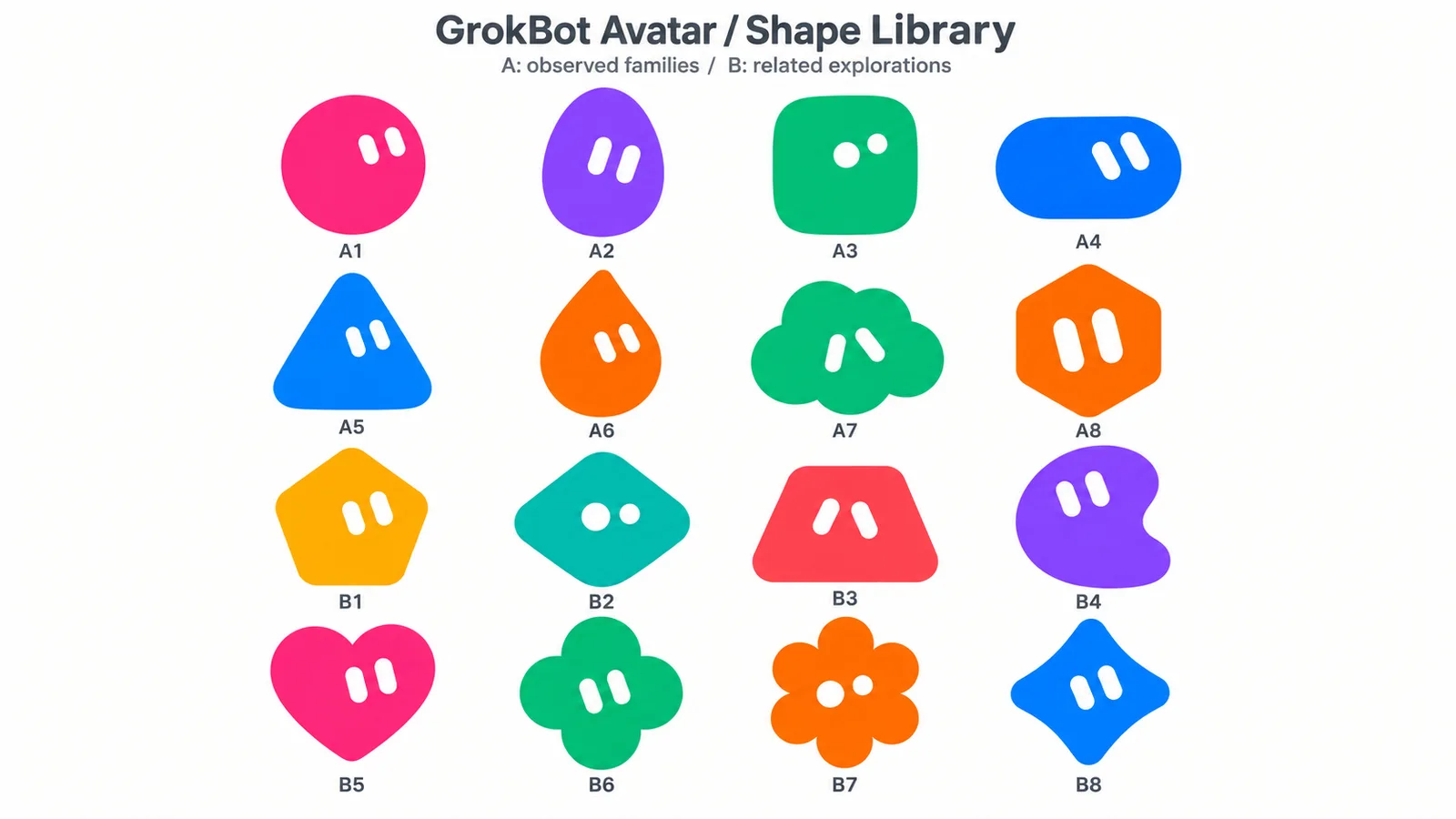
Twenty-five forms: eleven classic dot shapes, twelve animals and two fantasy characters. The catalog includes round, triangle, pill, cloud, heart, sprout and related shapes; bunny, cat, bear, panda, fox, shiba, frog, penguin, owl, chick, hamster and octopus; plus alien and robot.
Twelve finishes spanning short/long plush, felt, clay, ceramic, crackle, stoneware, pearl, vinyl, jelly, glass and chrome. Combine nine preset colors with a custom picker, and choose among thirty-two styles, including six boy-specific, ten girl-specific and sixteen shared options. Gender-specific styles constrain the applicable selection.
A four-step form → color → material → style interface with a live draggable 3D preview and eighteen UI languages, including simplified/traditional Chinese. The launcher can open a requested preset and language without changing the packaged source; unspecified choices stay at defaults.
Two character downloads: a 1024×1024 transparent PNG, or an HTML viewer preserving character choices and angle for interactive rotation. The PNG export removes background/floor/contact shadow and crops around the character with a small margin. The downloaded HTML explicitly uses the public 3D-library CDN and needs network access; neither export is a rigged mesh or 3D-print file.
Before you choose
Review a character in the format you intend to use: the transparent PNG should have clean edges and no floor/shadow, while the HTML viewer should retain the intended appearance and rotate correctly on a network-connected device. For an embedded studio, also check the host’s ready state and the heaviest finish before claiming the integration is complete.
Good fit
A developer or site owner wants a ready-made character creator to copy, rebrand, extend or embed.
A creator wants an avatar, sticker or mascot through direct controls rather than drawing or prompting an image model.
A team needs a family of characters with matching colors, finishes and accessory vocabulary.
Not for
Photorealistic portraits or a faithful likeness of a real person.
Animated-video delivery, rigged models, editable mesh exports or 3D-printing files.
A managed hosted service or public API supplied for you. You run or host the studio and build any backend integration separately.
How to use
You say/dot-avatar-maker Make me a pink bunny in long plush with a hair bow for my profile picture.
Optionally describe a form, color, finish or style. Without a preset, the studio starts with Cloud, Yellow, Short plush and Gentleman. The launcher accepts only catalog IDs, supported language codes, steps 0–3 and palette/hex colors; specify only requested choices rather than inventing missing preferences.
Run the included Node launcher to copy the studio into a working file, optionally insert the preset and open it. Its result reports file/URL/preset/opened/notes. Opening means the browser launch was attempted, not that a character was designed or downloaded. Use --no-open to write the page without launching a browser, then open the working file in your chosen browser.
In the studio, select form and the catalog’s boy/girl setting, choose a palette or custom color, then pick material and style. Drag the preview to inspect it. Gender-specific styles may adjust the gender selection. A current desktop browser with working 3D graphics is required; the shipped page needs network access to load its CDN modules, even though character rendering itself is local.
On the final step choose Download PNG or HTML. PNG gives a transparent 1024×1024 still; HTML gives a live character viewer with the current choices and angle. Downloads go through the browser’s normal file-saving behavior. The viewer remains network-dependent because its export code restores the public CDN import map.
For rebranding or embedding, write an unpreset copy into the target project and edit that copy, never the packaged page. Update brand/title/logo and CSS tokens, palettes, forms, materials or styles using the source map. Catalog ID order and every language’s translated option lists must stay aligned. Local hosting of the Three.js modules is supported for the studio, but exported viewers currently restore CDN URLs and require separate adaptation for offline use.
Use embed mode or same-origin host hooks when integrating: the page exposes state, option/color setters, step navigation, PNG snapshot and characterHTML functions, plus a ready message. These are browser integration hooks, not a supplied hosted API. Review all four steps and both exports after changes, including translations, 3D availability and long-plush performance on the slowest target device.
Requirements and costs
You bring
Optional: the form, color, finish or style you have in mind
Dependencies
A current desktop browser with 3D graphics enabled · An internet connection the first time the studio loads · Node.js to run the included launcher
Outside costs
Not collected yet
Publisher testing
v1.0.1 — Claude Code / Claude Desktop / Cowork / Codex / ChatGPT
FAQ
Yes. The package includes one readable HTML studio and a map of its branding, catalogs, material/form logic, translations and host hooks. Copy it into your project before changing it. No application build is required for the standalone page, but Three.js is fetched through an import map unless you self-host those modules.
No. The supplied character choices are rendered locally in the browser with 3D code, without an image-generation request or an account. There are no FAL/image credits in this workflow. You still need a suitable browser and network access for the shipped CDN dependency; any website hosting or additional backend you add is outside the studio’s built-in capability.
A transparent 1024×1024 PNG still or an HTML page showing your character in live rotatable 3D. The HTML retains the current choices/angle and explicitly loads the 3D modules online. It is not an exported rig, printable mesh or animated video. You create/download it inside the studio; running the launcher only copies and opens the editor.
User reviews
—0 reviews
Select a star to share your experience.
No reviews yet. Ratings appear once readers share real experiences.