Provide product name, audience, one sharp claim and three-step mechanism, then plans with actual prices/limits and the records the hero should show. Add approved quotes, customer numbers, team and security facts. State whether an estimator fits the business. List missing copy/facts for confirmation; do not invent press, ratings, certifications, audits, regions, customer logos or proof. For a real product without customers, remove the customer strip/story rather than filling it with fictional endorsements.
Choose standalone HTML with no existing project. For an existing/requested stack, inspect conventions, preserve unrelated files and translate the same sections, data and interactions into components, real routes and idiomatic state. Keep fonts/images local and preserve design relationships rather than using an iframe or injecting the template wholesale. Framework delivery requires the project’s own build/type/lint and route review.
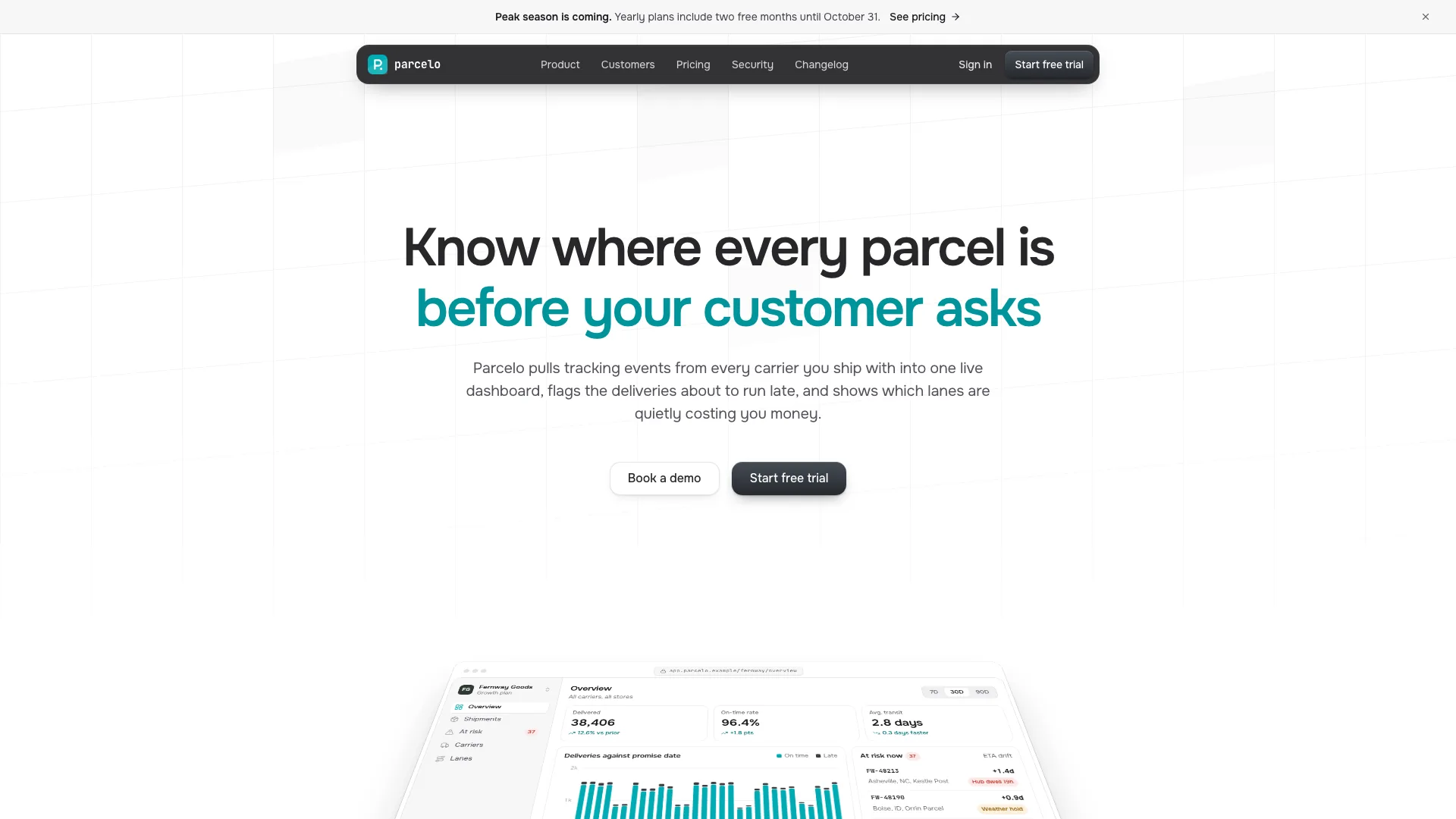
Keep the hero to four elements: centered two-clause statement, one short muted subline, a window-chrome table of exactly four records and a caption row naming what is handled. Use about 80px Instrument Sans with tight tracking, no larger than 84px desktop, and keep its top near the reference’s 175px position. The 1056px ledger stays compact; phone layout can hide a usage column while preserving header/cell alignment. Header CTA carries the action, so no hero button, badge, statistics strip or floating dashboard is needed.
Carry #223E8F blue-leaning indigo in small doses over warm off-white paper, with semantic green/amber only in product states. Caveat belongs to the logotype; Outfit supplies display/labels and Geist Mono numbers/code. Keep 1240px content width, 20–40px gutters, 88–136px section rhythm, asymmetric splits, fine ink rules and square corners except small status/window dots. Use one dark offer section plus the dark footer, separated by light content, without gradients/glass/glow or violet washes.
Choose four to seven additional sections around required header, hero, offer, signup and footer. Keep numbered ledger indexes in page order and vary the layouts: three-step moments, five-cell bento, story split, hairline quote columns, comparison table, security rows, FAQ and team letter. Four bento cells can omit the full-width cell; change three-item quote/figure grids if reduced. Delete unused section markup, links and script hooks together to avoid missing-element failures.
Adapt product records and all demonstrations together. The hero has static markup and script data; they must agree with code lines, reconciliation banners, invoice customer/amount and story figures. A rule-add click waits then changes one flag and re-prices a prepared row; approval updates another flag/row. The message saying reconciliation took four seconds is narrative text after a shorter timer, not a benchmark. Approval/hold messages about provider delivery, customer portals or tomorrow’s reminder are not executed integrations.
For an agency, records can become client/scope/fee/status and moments intake/review/delivery; packages replace subscription tiers and the usage estimator/docs can go. A course or consumer app can show lessons/plans/orders and a with/without comparison. Waitlist can retain one founding offer and a validated form. The section guide also suggests an editorial-photo variation for services, which differs from the stricter four-record hero contract; choose that consciously instead of silently mixing the two directions.
Keep plan cards, recommended/default pick, signup radio values, pricing links and estimator IDs synchronized. The sample uses two subscriptions and a one-time self-host license; two/four cards need matching columns and comparison/feature text. Billing choice uses guarded storage with a fallback, so behavior across reload/private preview needs testing. Remove yearly billing if no confirmed annual offer exists. The one-time license, update renewal and self-host requirements are sample offer copy, not supplied software or infrastructure.
Rewrite or remove the estimator for the actual price model. In the sample a logarithmic slider covers roughly 50,000–50 million events and product count ranges from one to twelve. It uses included event allowances, rounded-up extra 100k blocks, per-product add-ons and annual base divided by twelve. Only the single-product case considers the lower tier; the higher tier remains eligible and the least monthly total wins. A simple self-host payback divides license price by that total, excluding operating/support costs. This illustrates a model rather than a general pricing recommendation.
Give changelog/docs actual product material. Replace fixed release dates, package names, environment variables, API URL and language snippets together, retaining searchable categories and copy tools. Customer story needs real attribution, narrative and consistent figures; security/spec rows need confirmed encryption, regions, self-hosting and disclosure details. Legal pages require review. A quickstart rendered correctly is not evidence that the SDK or backend exists or that sample commands run.
Plan seven photographic roles in one soft north-window editorial set: customer portrait, document-review detail, ledger still life, team and three testimonial portraits. Keep UI code-built, not inside stock laptop photos. Ledger/pen still life and hands reviewing a document may remain relevant neutral art; generated customer/team/avatars remain stand-ins requiring approved replacements for real people. An available image tool may charge. Without one, remove unsupported photo slots and let typography/product UI carry the site; do not hotlink filler.
Rebrand metadata/titles/comments, header/mobile/footer marks, mail addresses, customer-story slug, static and script ledger data, usage units, event lines/toasts, plans/FAQ/releases/code, signup product/volume/plan fields, section navigation maps and image alt text. Sample claims about data retention, export formats, integrations and cancellation are business promises to confirm, not default capabilities inherited by changing a name.
Keep signup/sign-in/newsletter outcomes honest. Local validation checks email, product and volume, then a timer changes to success. Inspected messages claim a workspace, trial and sent expiring magic link; sign-in similarly claims a link, and newsletter promises a future issue. There is no sending/auth/account service behind them. SSO only shows guidance in a toast. Replace these with explicit demo wording until corresponding services and failure paths are connected.
Prepare offline output with Node.js 18+ and initial access to download four font files. Embed web-sized local assets, target 5MB and stay below the 8MB cap. The inliner is byte-equal to the previously inspected pharmacy helper: missing assets/downloads can be reported after output is written, and repeated static image copies rely on its small startup script. Check process exit and actual offline loads rather than assuming file existence is success.
Use the static validator for routes/anchors/nav, literal script hooks, labels, resource references, sample names and style warnings. It does not verify adjacent asset existence in files mode, allows a missing curtain as a warning and uses heuristic checks for storage/palette/hero scale. A pass is not visual or runtime acceptance. Review every route at 1440/1024/768/390px twice: moment tabs/add/reset/approve/hold, hero updates, billing/estimator/plan carryover, FAQ, changelog empty/search/filter, docs tabs/actual copy, invalid/valid/reset forms, menu focus/Escape, back navigation, reduced motion and iframe/offline behavior. Fix/recheck and report actual checks and unresolved photo/data/service gaps.