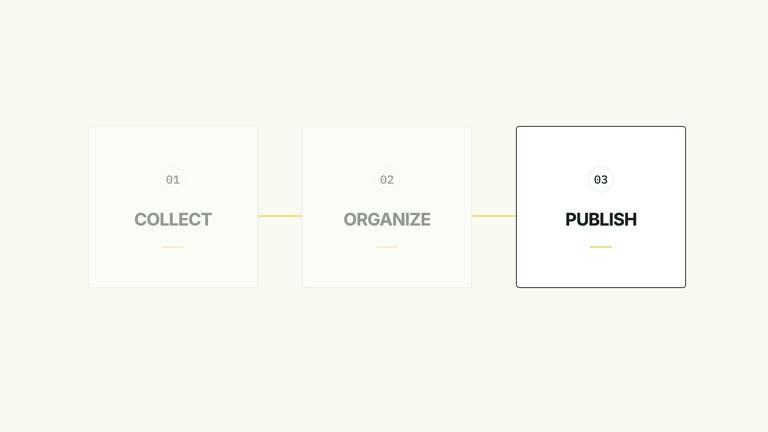
Let viewers read one point at a time while the list stays aligned. This seven-second effect offers numbered or bullet markers, text reveals inside existing capsules, whole-row arrivals and a blur-to-clear variant. You can keep some rows visible from the start, then reveal the remaining points in order and hold the completed list.
What you get
An editable local HyperFrames effect with generator, motion specification and focused review instructions. Generate the project and render a 1920×1080, 30 fps segment for your own edit.
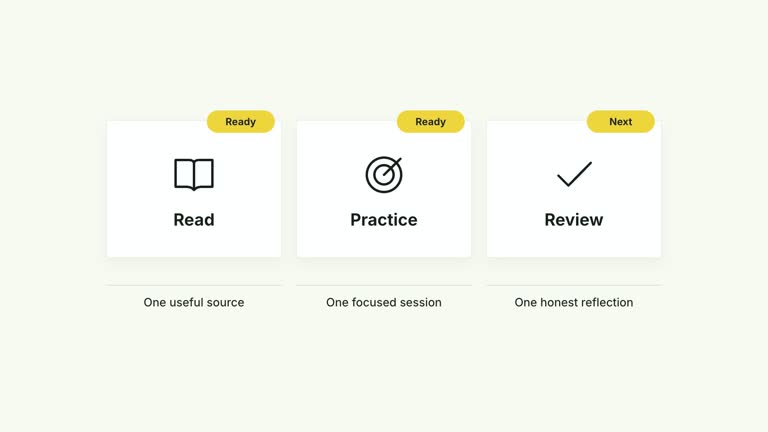
Up to four vertically centered list items. The marker control selects number or bullet treatment; entrance selects text, row or blur behavior; initialVisibleCount determines how many leading rows skip their reveal.
A 0.95-second cadence beginning at 0.32 seconds for the remaining rows. Default text reveals take 0.40 seconds inside fixed outlines; whole-row entrances take 0.28 seconds. The complete list remains aligned for the closing hold.
Four palettes keep the motion consistent: White & Yellow (white-yellow), Charcoal & Lime (charcoal-lime), Paper & Orange (paper-orange) and Black & White (midnight-ice). Semantic overrides adapt the styling; recheck contrast after changes. Dark palettes include a fine static grid. Fonts are bundled locally: Inter, IBM Plex Mono for measurements and ordinals, and Smiley Sans/Noto Sans SC for Chinese. Chinese copy automatically selects Smiley Sans, including Latin text in the same composition; --zh-font noto-sans-sc selects the plainer alternative and --font embeds your own face. Inspect wrapping again after changing fonts.
Before you choose
Use the simplest reveal that supports reading. A sequence of points is different from completion states or measured progress; choose markers and narration that do not imply those meanings unless the content actually supports them.
Good fit
A short creator explanation where the audience should encounter points in a deliberate reading order.
A teaching passage with concise numbered steps or bullet reminders, rather than paragraph-length rows.
A series requiring consistent list typography, reveal rhythm and palette across examples.
Not for
A checklist whose state changes in sync with a recording. This effect reveals information once and does not track completion.
Automatic narration synchronization, an unlimited list or a layout that expands beyond four rows. Timings and positions are authored in the effect.
Automatic editing of an entire production, generated presenter performance or music, or copying a reference creator’s identity and source footage.
How to use
You say/creatormotion-cards-sequential-list Turn my supplied explanation into a white-yellow B-roll scene using the Sequential List Reveal effect. Use the text, data and media I provide, and ask for any required input that is missing.
Write items as short, distinct points. Choose marker number for an explicit reading order or bullet for a group of reminders. The implementation displays the first four items and centers the stack according to the visible count.
Choose entrance text for in-place text disclosure, row for a whole-capsule entrance or blur for text that clears from a blurred state. Set initialVisibleCount to an integer between zero and the displayed row count; the remaining reveals restart their cadence after those pre-visible rows.
Read the motion specification and match the sequence to your narration. This effect uses text and geometry without presenter footage, mattes or active image slots. If a longer sentence does not fit its capsule, shorten it or revise the layout rather than assuming automatic paragraph fitting.
Prepare Node.js 22+, FFmpeg and the documented HyperFrames CLI 0.8.30. From the extracted package, run node scripts/create.mjs --out PROJECT --data CONTENT.json, adding --style or semantic --overrides as needed. The shared --images option replaces named slots with paths relative to the image-map file; unlisted slots retain defaults, although this particular composition uses editable text/geometry without active raster slots. Read the image policy before adding visual materials.
Inspect the editable project and render with npx --yes hyperframes@0.8.30 render PROJECT --output VIDEO.mp4 --fps 30 --quality high --strict. Watch the opening, each major change and the final reading hold for text bounds, contrast and clipping. Narration, music and assembly with other shots remain separate editing work. Read each newly revealed point at playback speed, inspect the last row and verify that initially visible rows really match your intended opening. Check the blur and whole-row variants separately when you change entrance mode.
Requirements and costs
You bring
items: provide your own content or retain the illustrative default. · marker: provide your own content or retain the illustrative default. · entrance: provide your own content or retain the illustrative default. · initialVisibleCount: provide your own content or retain the illustrative default.
Dependencies
HyperFrames CLI 0.8.30 or compatible — required · Node.js 22 or newer — required · FFmpeg — required
Outside costs
Not collected yet
Tools used
HyperFrames
Publisher testing
v1.0.1 — Claude Code / Claude Desktop / Cowork / Codex / ChatGPT
FAQ
Yes. Supply items, marker, entrance and initialVisibleCount in JSON, then use a named palette or semantic overrides. Recheck wrapping and contrast after font and wording changes.
No. The composition uses editable list capsules and typography. Generic instructions about generated pictures, presenter takes and alpha mattes apply to other effects, not this list.
Yes. Keep ordered disclosure, alignment and the final reading hold. The provided text, blur and whole-row modes offer different entrances without turning the list into unrelated moving panels.
Yes. initialVisibleCount skips the reveal for that many leading rows. Use a sensible whole number within the displayed count; the remaining rows reveal at the normal cadence.
No. The current sequence uses fixed timing. Compare the rendered reveals with your narration and edit the timeline if the reading pace needs more time.
User reviews
—0 reviews
Select a star to share your experience.
No reviews yet. Ratings appear once readers share real experiences.