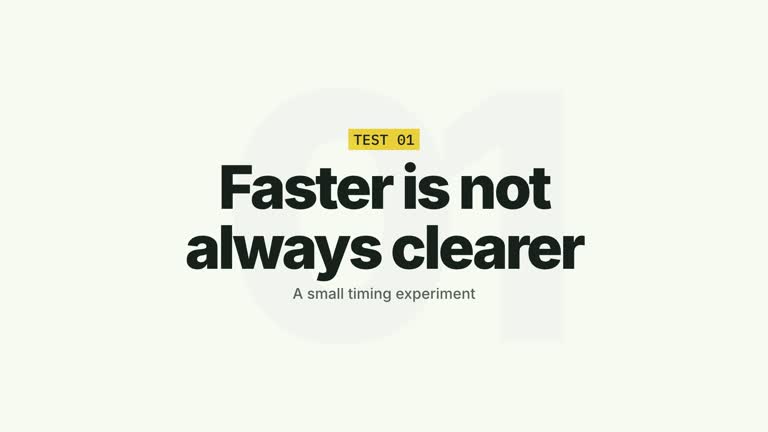
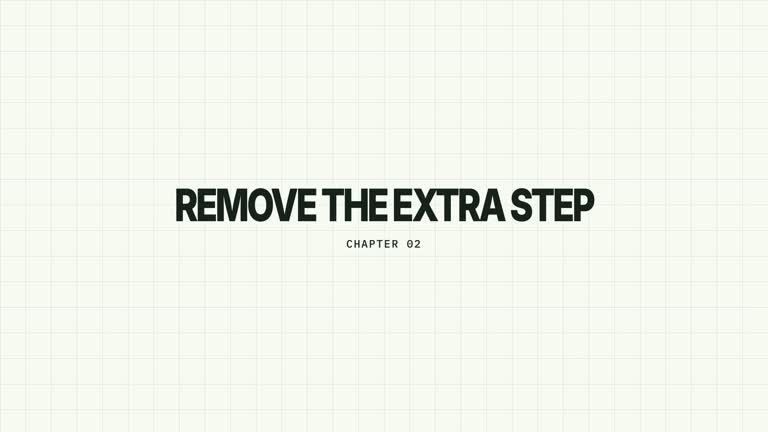
Give a chapter phrase a deliberate reading rhythm. A small label appears first, then the headline’s characters darken from faint to solid in their final positions. The completed phrase holds on a quiet full-screen stage; the line does not slide in as a block or behave like a live typing interface.
What you get
A local effect implementation, generator and documented motion/review workflow. Generate an editable HyperFrames composition and render a 6.8-second, 1920×1080, 30 fps title segment.
Editable label and title fields, with an accent print strip above a large headline and a faint oversized diagonal label backdrop. The default PART 03 / Make feedback visible is illustrative content.
A label entrance at 0.16–0.34 seconds and left-to-right character resolution beginning at 0.50 seconds. The code spreads the character starts over approximately 0.88 seconds, then leaves a stable complete-title hold.
Four palettes keep the sequence consistent: White & Yellow (white-yellow), Charcoal & Lime (charcoal-lime), Paper & Orange (paper-orange) and Black & White (midnight-ice). Semantic overrides can adapt colors; inspect contrast afterwards. Dark palettes have a fine static grid. Fonts are local: Inter, IBM Plex Mono for small measurements/ordinals, Smiley Sans and Noto Sans SC. Chinese content automatically uses Smiley Sans, including Latin text in the same composition; --zh-font noto-sans-sc chooses the plainer alternative and --font embeds your own face. Check line breaks after a font change.
Before you choose
Choose this when the phrasing itself is the section introduction. If the audience needs a supporting sentence or a pictured example, use a fuller title hierarchy or follow this segment with a separate explanatory scene.
Good fit
A creator or educator marking a new section with one short phrase that deserves a readable reveal.
A concise teaching passage where the headline itself introduces the idea, without needing imagery or presenter footage.
A series requiring consistent chapter typography and timing across multiple sections.
Not for
A long paragraph, automated subtitle timing or a live typewriter/editor interface. Character reveals are authored, not linked to audio or keyboard events.
A title that needs to travel across the frame as one object; the defining motion changes character opacity at fixed positions.
Automatic editing of an entire film, generation of a presenter performance or soundtrack, or copying a reference creator’s identity and footage.
How to use
You say/creatormotion-chapter-character-reveal Turn my supplied explanation into a white-yellow B-roll scene using the Chapter Character Reveal effect. Use the text, data and media I provide, and ask for any required input that is missing.
Write label and title in a JSON object. Use the label for the section identifier and the title for its subject; replace the supplied example rather than keeping a chapter number unrelated to your film.
Keep the title short enough for the large 150px treatment and finite canvas width. Spaces use dedicated nonbreaking spans with explicit advance, so check word spacing and wrapping in the actual project rather than expecting ordinary paragraph layout.
Read the motion specification and retain the small-label-first order, fixed-position glyphs and fully readable final hold. This is graphics-only; no presenter take, alpha matte or raster image is required. Generic image-map instructions do not add an image slot to this effect.
Prepare Node.js 22+, FFmpeg and the documented HyperFrames CLI 0.8.30. Run node scripts/create.mjs --out PROJECT --data CONTENT.json --style white-yellow from the extracted package, changing the style or adding --overrides as needed. Read the motion specification and design reference before adapting the layout; keep project assets local.
Lint, validate and inspect the generated project with the pinned HyperFrames CLI, then render at 1920×1080 and 30 fps using the command printed by the generator. Review the actual opening, principal change and settled reading state for clipping, contrast and text bounds. If you change the effect implementation, inspect all four palette examples. A successful build alone is not visual acceptance; narration, music and film assembly remain separate work. Watch the first faint state and the completed headline, and confirm that the reveal remains readable with your chosen language and font.
Requirements and costs
You bring
label: provide your own content or retain the illustrative default. · title: provide your own content or retain the illustrative default.
Dependencies
HyperFrames CLI 0.8.30 or compatible — required · Node.js 22 or newer — required · FFmpeg — required
Outside costs
Not collected yet
Tools used
HyperFrames
Publisher testing
v1.0.1 — Claude Code / Claude Desktop / Cowork / Codex / ChatGPT
FAQ
Yes. Supply label and title in JSON, select one of the four palettes or use semantic style overrides. Changing copy alters the number of glyphs, so inspect the resulting spacing and reveal rhythm.
No. This composition is made from editable typography and an accent strip. The general package notes about generated pictures, presenter takes and mattes apply to other scenes that use them.
Yes. Preserve the label-first sequence and fixed-position character opacity reveal rather than substituting a whole-headline slide. Re-render after changes to confirm the complete phrase holds clearly.
Not in the current implementation. The stagger is derived from character count to keep the reveal window broadly similar. A long phrase still needs enough space and reading time, so shortening the title is often preferable.
Inspect glyph availability, word spacing and line breaks using the actual bundled font choice. Chinese content switches the main face automatically; do not assume the Latin default’s fit carries over unchanged.
User reviews
—0 reviews
Select a star to share your experience.
No reviews yet. Ratings appear once readers share real experiences.