Explain a small sequence of mobile actions with a moving target ring and timed instruction labels. The oversized screen remains the anchor as each supplied coordinate becomes the current focus. Use a bundled still for an illustrative walkthrough or provide a local recording for actual screen movement; the scene does not tap controls or infer the actions from the screen.
What you get
A local generator, editable HyperFrames mobile walkthrough and motion/review instructions for a 1920×1080, 30 fps segment. The still-image version lasts nine seconds; the enabled recording version uses a 6.8-second output window.
screenVideo as an enable value, steps with time/target/label and phoneFrame for the device border. The phone content viewport is 420×864; targets use normalized [x,y] positions. The still mode requires mobile-screen, with a bundled default.
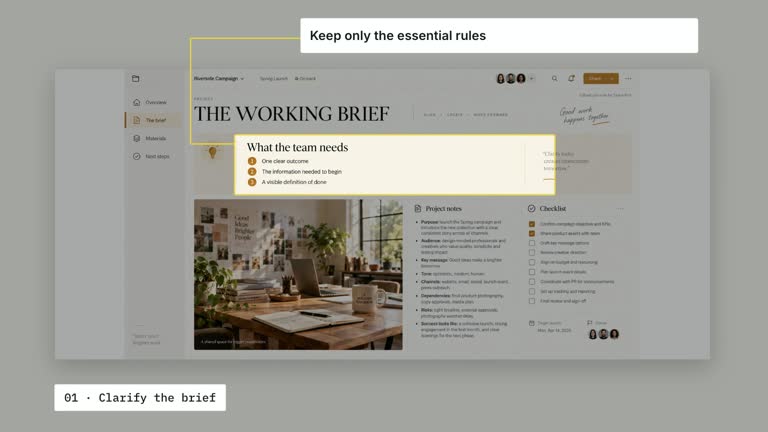
A phone entrance, target ring travel and sequential instruction/leader reveals at your supplied step times. Earlier instructions clear before the next one, while the final step remains for the reading hold. The current implementation alternates labels to the sides with elbow leaders, despite the guide’s later single-strip direction.
Four styles keep the same data and choreography: White & Yellow (white-yellow), Charcoal & Lime (charcoal-lime), Paper & Orange (paper-orange), and Black & White (midnight-ice). Semantic style overrides are supported; check contrast after changing them. Dark canvases use a fine grid. Local fonts include Inter, IBM Plex Mono for measurements and ordinals, Smiley Sans and Noto Sans SC. Chinese text selects Smiley Sans automatically, including accompanying Latin text; --zh-font noto-sans-sc selects Noto Sans SC, while --font takes precedence for a supplied font.
Before you choose
Use actual screen states to support each instruction, and calibrate targets after the final crop. A moving ring can explain where to act, but it does not demonstrate that the app received or completed an action.
Good fit
A creator explaining a few specific tap locations in a mobile screen or a prepared recording.
A teaching passage needing explicit targets, concise instructions and separate reading beats.
A series using consistent phone geometry, target coordinates and optional recording material.
Not for
Actually tapping an app, detecting controls, performing OCR or verifying that an instruction succeeds.
Assuming a static image demonstrates interaction, automatic synchronization with an arbitrary recording or a fully responsive tooltip layout.
Automatic full-film editing, generated presenter footage or music, or copying another creator’s identity and interface material.
How to use
You say/creatormotion-spotlight-mobile-step Turn my supplied explanation into a white-yellow B-roll scene using the Mobile Step Pointer effect. Use the text, data and media I provide, and ask for any required input that is missing.
Prepare steps in increasing time order, with normalized targets and short labels. Recalibrate every target after replacing the screen image or recording. The coordinates are not detected controls, and the first effective cue is no earlier than 0.80 seconds.
For still mode, reuse mobile-screen or replace it with --images MAP.json; relative paths resolve beside the map. Static content will not change when the pointer moves. For recording mode, set screenVideo truthy and supply --media RECORDING.mp4; the JSON value is not itself the media path used by the scene.
Use a continuous recording covering the full 6.8-second video window and align step times to what it actually shows. The latest video variant removes the older fade-to-empty ending. Keep instructions early enough for their reveal and final hold; no presenter or alpha matte is used.
From the extracted package, prepare Node.js 22+, FFmpeg and HyperFrames CLI 0.8.30. Run node scripts/create.mjs --out PROJECT --data CONTENT.json --style white-yellow, substituting another documented palette if wanted. Read the motion specification and image policy before adapting the scene; use semantic --overrides for deliberate style changes.
Inspect the editable project at entry, each motion handoff and final hold, then render with the command printed by the generator. Check the resulting frames for text collisions, correct numbers and readable contrast. Keep at least 1.2 seconds for the final reading when editing, and compare all four palettes with identical content after structural changes. Narration, music and assembly into a longer film remain separate work. Inspect every pointer/leader/label alignment and screen state in actual MP4 frames. Match the final instruction to the chosen nine-second still or 6.8-second recording window and preserve at least 1.2 seconds for reading. Review current side labels rather than assuming the guide’s single integrated strip has been implemented.
Requirements and costs
You bring
screenVideo: provide your own content or retain the illustrative default. · steps: provide your own content or retain the illustrative default. · phoneFrame: provide your own content or retain the illustrative default.
Dependencies
HyperFrames CLI 0.8.30 or compatible — required · Node.js 22 or newer — required · FFmpeg — required
Outside costs
Not collected yet
Tools used
HyperFrames
Publisher testing
v1.0.1 — Claude Code / Claude Desktop / Cowork / Codex / ChatGPT
FAQ
Yes. screenVideo, steps and phoneFrame are JSON controls, with four palettes and semantic overrides. Step times and targets are authored coordinates, not automatically inferred from the screen.
Only for recording mode. Set screenVideo truthy and pass --media with a suitable 6.8-second local recording. Otherwise the required mobile-screen raster uses a bundled default or local replacement.
Yes. Preserve target travel, concise instruction updates and a readable final screen. Re-render after target/timing changes and verify that each cue matches the supplied recording if used.
No. It annotates prepared screen content. Still images have no synchronized interaction, and recordings must already show any actual changes.
The current video variant ends at 6.8 seconds to match its supplied media window and retain the last instruction through the cut. The default still-image composition lasts nine seconds.
User reviews
—0 reviews
Select a star to share your experience.
No reviews yet. Ratings appear once readers share real experiences.