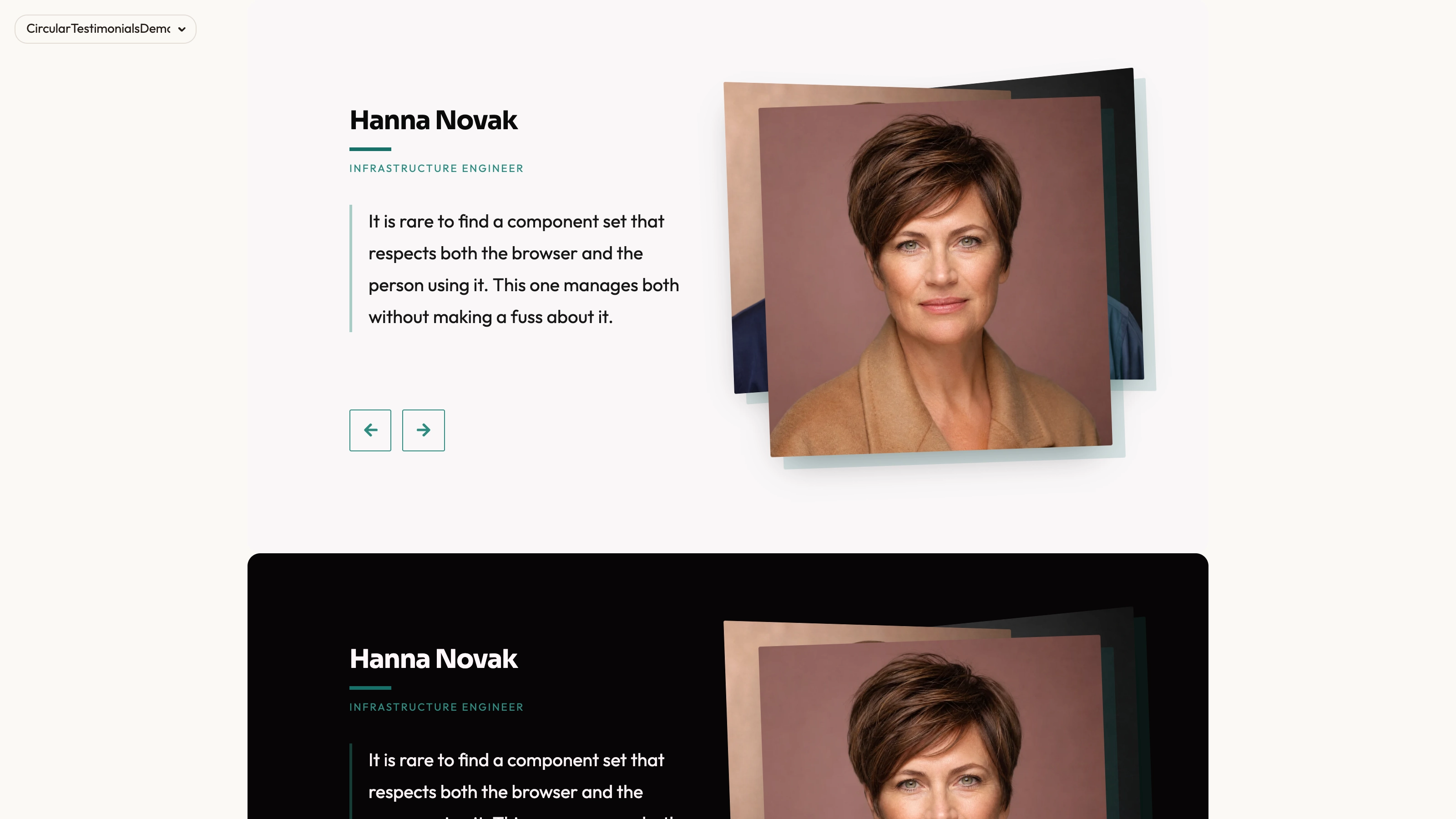
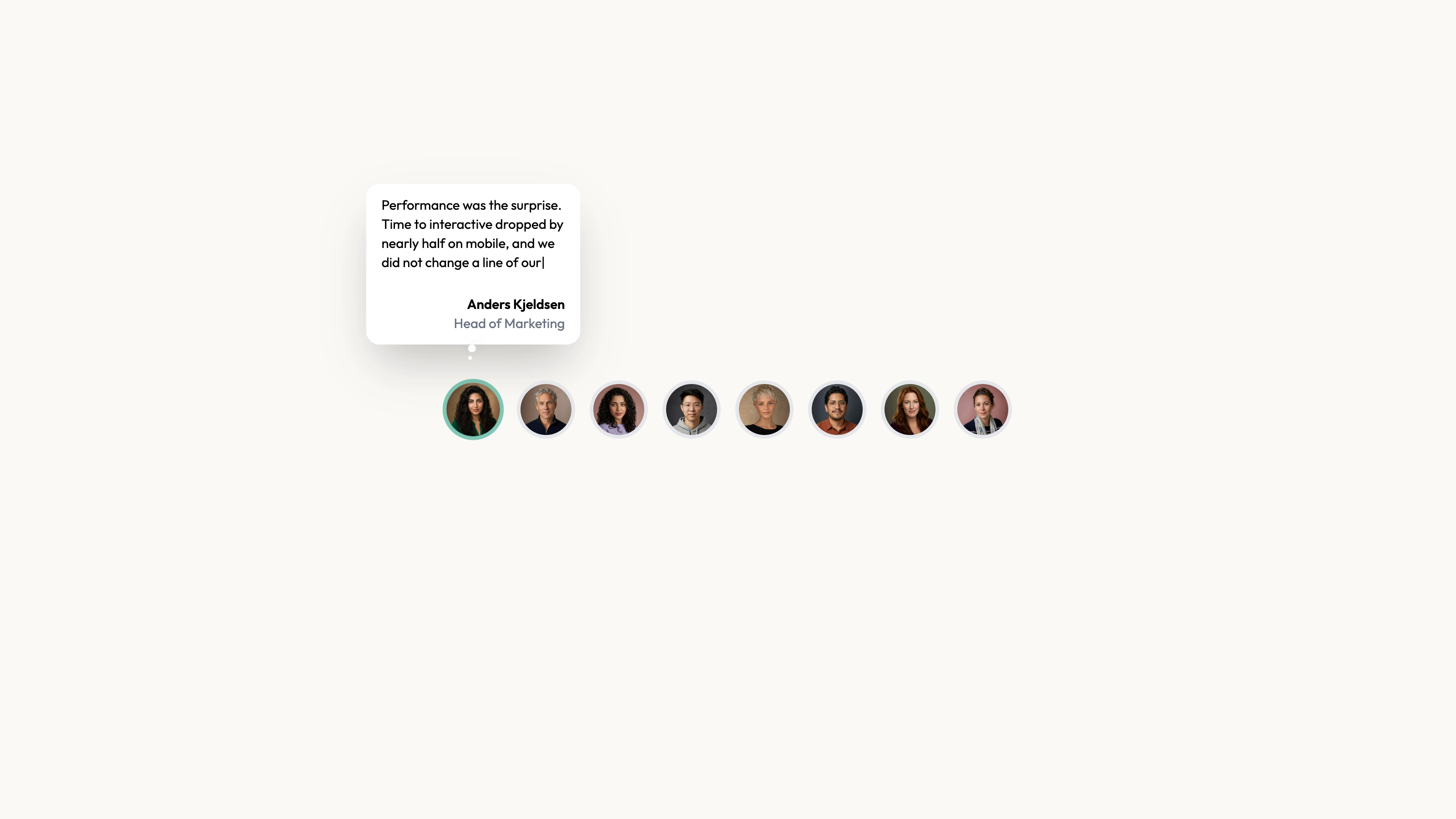
Browse customer statements beside a loosely layered set of portraits. Tilted Card uses rotated image transitions and an active quote area, with previous/next controls and automatic cycling enabled by default in the inspected source. The treatment is a still-image carousel rather than a canvas-rendered scene.
What you get
A React/TypeScript portrait-and-quote composition and demo with five source records: quote, name, designation and src. The exported Component renders a full-height demo wrapper around an internal AnimatedTestimonials. Copy and maintain source; expose content or playback controls deliberately when embedding.
Manual previous/next wraparound plus default five-second autoplay in the internal slider. Portraits use random tilts and 0.5-second transitions, with 0.3-second quote-block transitions. The internal autoplay prop can disable cycling, but the exported wrapper does not expose that prop.
Editable source, local portrait paths, visual/icon/imagery references and a source checker. Actual portraits, fallback photo and WOFF 2 fonts are absent. React, framer-motion, Lucide and host styling are requirements; the background is an animated CSS grid, not a canvas renderer.
The written visual contract defines warm paper/teal light tokens, dark roles, Outfit body type, Sora headings and a 0.875rem base radius. It specifies restrained motion and inline SVG interface icons with 1.5 px square-cap strokes, plus visibly named monochrome vendor marks. Reconcile fixed source values and all visual states with those references during integration.
Before you choose
Compare the default behavior before choosing between similar portrait sliders. A playful tilt is a presentation preference; the more consequential choice is whether readers control when an important statement disappears.
Good fit
You have a bounded set of approved quotes that suit one-at-a-time reading beside their speakers.
You want a less formal image treatment and can decide whether automatic timing fits the actual statement lengths.
Your team can adapt styling, controls and motion in source instead of relying on a managed testimonial product.
Not for
A no-motion or fixed-frame requirement without reviewing random rotation and transition behavior.
Assuming every statement can be read in five seconds, or that an automatically advancing collection is the right choice for important evidence.
A full site with navigation, forms, authentication and payment, or an automatically maintained npm component.
Unchanged integration into a mature design system without inspecting the motion, image sizing and theme rules.
How to use
You say/testimonial-tilted-card Add the Tilted Testimonial Card section to the landing page for [product name]. Use the quotes, names and portraits I provide; do not invent testimonials. Follow the existing page framework and styling.
Inspect the host framework/client boundary, React/framer-motion/Lucide dependencies and styling before adapting the component/demo. The exported wrapper owns full-viewport background behavior; another framework needs a genuine port, with standalone HTML only for an explicit standalone deliverable.
Replace every sample quote, name, designation and portrait together. Check claims and permission to publish and avoid carrying demonstration company affiliations into a real page.
The written visual contract defines warm paper/teal light tokens, dark roles, Outfit body type, Sora headings and a 0.875rem base radius. It specifies restrained motion and inline SVG interface icons with 1.5 px square-cap strokes, plus visibly named monochrome vendor marks. Reconcile fixed source values and all visual states with those references during integration. Supply accurate local portraits/fonts and replace or adapt the image-error fallback, which is also absent and depicts a different named person. Keep name/role/quote/photo identity intact rather than swapping in an arbitrary face when a portrait fails. Follow portrait/abstract/photo slot rules for any added assets.
Choose the playback policy explicitly. Disable the default autoplay if readers need time, or adapt timing and pause behavior as appropriate. Review portrait rotation, crop and the longest real quote before deciding the card area is sufficient. To disable autoplay through the public wrapper, expose the option or edit its internal invocation. Manual arrow clicks do not stop its five-second timer. The 40-second repeating CSS grid and portrait/text motion also need a deliberate static or reduced-motion treatment; turning off autoplay alone does not stop all motion.
Run the supplied output checks and test manual arrows, cycling, cleanup after leaving the page, narrow-screen layout, focus and reduced-motion presentation. Check the active identity on repeated transitions and verify actual host requests separately.
Requirements and costs
You bring
Not collected yet
Dependencies
Not collected yet
Outside costs
Not collected yet
Publisher testing
v1.0.3 — Claude Code / Claude Desktop / Cowork / Codex / ChatGPT
FAQ
It uses React and framer-motion. The Skill directs repository-first adaptation of markup, styling and interaction code. A different framework needs a real port, while a standalone HTML output is appropriate when the request is specifically for a standalone page.
No feedback service is queried. It renders source records and local image paths, but actual portraits, fallback image and fonts are absent from this archive. Supply local files and inspect integrated host requests; source paths are not proof of offline readiness.
Yes. Update attribution, portrait and statement together and inspect actual text bounds. The imagery guide distinguishes person portraits, ordinary photography and abstract slots carrying inversion or blending; replacing a picture should respect that role.
The internal slider defaults autoplay to true and advances every five seconds. The exported full-screen wrapper does not expose that option, so adapt it to control playback. Manual navigation does not pause the timer; a separate Portrait Switcher package instead defaults to manual.
The inspected source calls a random rotation helper for portrait positions. If stable frame output matters, replace or seed that choice during integration and verify the resulting transitions.
User reviews
—0 reviews
Select a star to share your experience.
No reviews yet. Ratings appear once readers share real experiences.