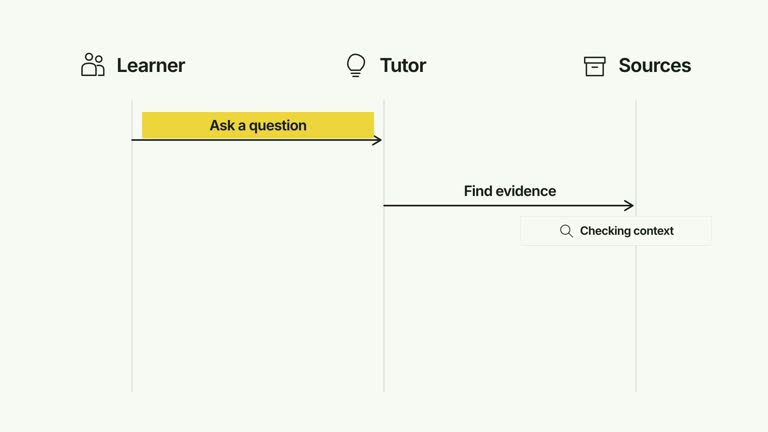
CreatorMotion · Message Sequence Lanes


 +7
+7
Use this Skill to create broll animation.
HOWAI / THE SKILL LIBRARY
Find Agent Skills for video, motion graphics and launch films. Compare source previews, required assets, tools and installation materials.
147 matching Skills+7Use this Skill to create broll animation.
 +7
+7Use this Skill to create broll animation.
 +7
+7Use this Skill to create broll animation.
 +7
+7Use this Skill to create broll animation.
 +7
+7Use this Skill to create broll animation.
 +7
+7Use this Skill to create broll animation.
 +7
+7Use this Skill to create broll animation.
 +7
+7Use this Skill to create broll animation.
 +7
+7Use this Skill to create broll animation.
 +7
+7Use this Skill to create broll animation.
 +7
+7Use this Skill to create broll animation.
 +7
+7Use this Skill to create broll animation.
Define the length, aspect ratio and message before selecting a motion example. Check whether the workflow uses generated footage, animation in code or editing software, and identify the assets it needs. Compare timing and transitions with the source, then verify the final render, captions, audio and playback on the intended platform. Follow the publisher’s requirements; a collected preview or reported compatibility does not prove that HowAI reproduced the film.
Compare the Video previews with your task. Read each Skill’s good-fit and not-for notes before choosing it.
Check the compatible agent, required assets and publisher’s access conditions. A compatible host is not evidence that a particular model created the preview.
Use the original installation guide, start with a small task and record the Skill version and inputs. Compare your output with the preview before adapting it.
Check availability on the Skill detail page. Preview-only listings have examples and descriptions but no HowAI installation files. When a package is available, use its installation instructions; third-party materials follow the original publisher’s access conditions.
Imported previews come from credited sources. Publisher-reported tests and HowAI verification are labeled separately.
Yes. Skills have independent pages, versions and saves. Specific works can link to used, example or recommended Skills.
Sign in and request a Skill. Describe your inputs, desired output and tools so the request can be reviewed.